
API for Social Media: Build Cross-Platform Tools Wisely
Learn how to use an api for social media with confidence. Explore authentication, rate limits, endpoints, and integration patterns for multi-platform tools.
You’ve connected the accounts, exchanged tokens, and built a dashboard that looks reassuringly complete. Then a report returns fewer posts than the native app, a scheduled write receives a rate-limit response, or a platform removes a field your workflow quietly depended on. Nothing appears obviously broken, yet the decisions built on that data are no longer reliable.
An API for social media is more than a collection of endpoints. It’s a negotiated boundary between your software and a platform that controls permissions, quotas, schemas, review requirements, and data availability. The engineering challenge isn’t only making the first request succeed. It’s making the whole workflow remain understandable when the platform changes its mind.
Table of Contents
- Why Social Media APIs Feel Simple Until They Break
- Authentication, Permissions, and Rate Limits Explained
- Common Social Media API Endpoints You Will Use
- How Different Platforms Handle API Quotas and Batching
- Why Clean Dashboards Can Still Miss Critical Data
- Safe Integration Patterns for Multi-Platform Tools
- Making API Strategy an Organizational Practice
- Frequently Asked Questions About Social Media APIs
Why Social Media APIs Feel Simple Until They Break
A marketing team connects a publishing tool to several accounts. Posts appear, analytics populate, and everyone assumes the integration is finished. Later, a platform changes which relationship data an app can access, a permission expires, or a report starts omitting content without making the dashboard visibly incomplete.
Facebook’s Graph API history shows why this happens. Facebook introduced the Graph API at its F8 developer conference in 2010 as a successor to its REST API, with a more consistent way to access objects and relationships. The original model exposed extensive relationship data, including information about a user’s friends, but Facebook announced in 2014 that developers would lose access to friends data, with the restriction taking effect in April 2015. The lesson is practical, not historical trivia: access is a platform policy, not a permanent entitlement. Facebook’s announcement about the Graph API makes that change visible.

Separate outages from structural limits
A timeout is usually an operational incident. An empty field caused by a withdrawn permission is a structural limitation. Treating both as “the API failed” sends engineers toward the wrong fix.
A useful diagnostic asks:
- Is the response temporary? Timeouts, server errors, and transient throttling may recover with controlled retries.
- Is the field authorized? A successful response can still omit data your token can’t access.
- Is the result complete? Pagination, retention rules, ranking systems, and endpoint-specific filters can produce a clean but partial response.
- Has the contract changed? Version changes, deprecations, and review requirements can invalidate an assumption without breaking authentication.
Practical rule: Every important metric needs a state for “unavailable,” not only a state for zero.
That distinction changes product design. A dashboard that reports zero comments when the connector couldn’t retrieve comments is misleading. A dashboard that says “comment data unavailable because this permission is missing” gives an operator something to investigate.
Reliable integrations therefore begin with a mental model of controlled uncertainty. Your application authenticates, requests a permitted slice of data, operates inside a quota, and depends on rules that can change. The endpoint is the visible part. The underlying system includes the policy around it.
Authentication, Permissions, and Rate Limits Explained
Three controls determine whether an integration can operate safely: identity, permission, and capacity. They’re related, but they answer different questions.
- Authentication: Who is making this request?
- Authorization: What may that identity read or change?
- Rate limiting: How much activity may it perform in a given window?
OAuth-style flows make the distinction concrete. A user authorizes an application, the platform issues a token, and the application sends that token with later requests. The token doesn’t mean “access to everything.” Its scopes define the allowed actions, and its lifecycle determines when the application must refresh or ask the user to authorize again.
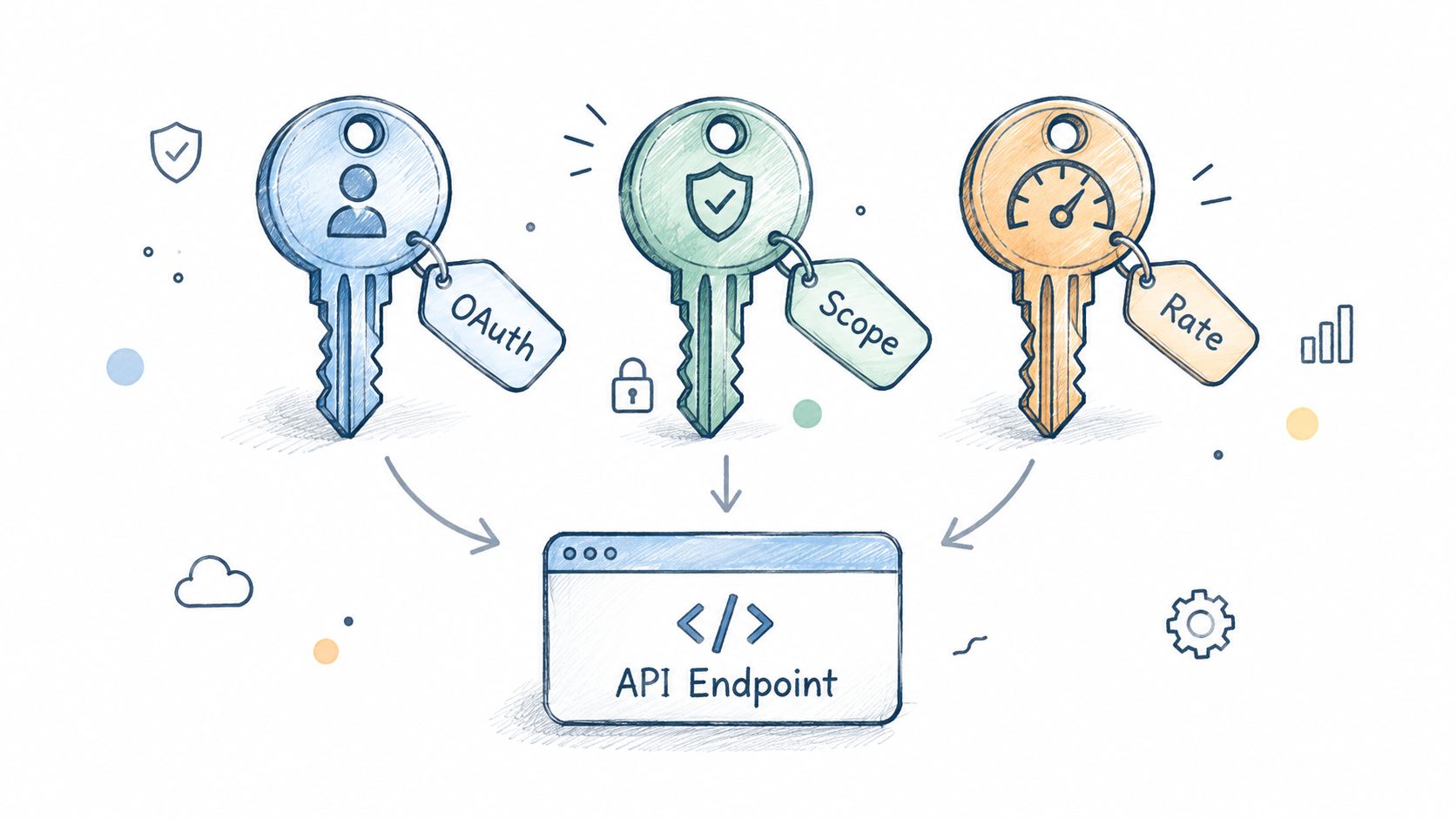
Think of a hotel. Authentication proves you’re the guest. Permissions determine whether your key opens the room, the meeting area, or the staff entrance. Rate limits are the building’s capacity rules, such as how quickly a lift or service desk can process requests. A valid key can still be refused when the system is busy or when the requested door isn’t included in your access.
Use the smallest useful scope
Broad permissions feel convenient during development, but they increase the impact of a leaked token and complicate review. Request only the scopes needed for the feature, separate read access from write access where possible, and make advanced actions explicit.
Your connection layer should record:
- The account identity connected to the application
- Granted scopes and the date they were approved
- Token expiry and refresh status
- The platform and API version
- The person or system that initiated a write
- The response and resulting object identifier
Teams building credential flows can use a focused guide to authentication and key management alongside each platform’s own authorization documentation. For Meta advertising workflows, the Facebook Advertising API guide provides related context about connecting account data to operational actions.
Rate limits belong in the same design conversation. A queue is safer than a loop that retries immediately. When the platform signals throttling, preserve the request, apply backoff, and prevent multiple workers from repeating the same action.
Here’s the operational model to aim for:
- Validate before sending. Reject malformed or unauthorized work locally.
- Queue writes. Give actions an order, an owner, and a retry state.
- Back off on throttling. Treat a 429 response as a control signal, not as permission to hammer the endpoint.
- Reserve capacity. Reporting jobs shouldn’t consume the quota needed for urgent writes.
- Make retries safe. Use idempotency keys or equivalent duplicate-detection logic where the platform supports it.
The goal isn’t to eliminate platform controls. It’s to make those controls visible in your system before they become an incident.
Common Social Media API Endpoints You Will Use
Most social APIs organize around a familiar set of resources, even when the names and payloads differ. Mapping your product workflow to these resource families helps you avoid designing around one platform’s vocabulary.
Identity and account endpoints
Account and user endpoints return the objects needed to establish context. They may include account identifiers, display names, connected pages, organizations, or business assets. Store stable identifiers separately from display labels. Names change, while identifiers usually anchor relationships across later requests.
Connection endpoints also support onboarding and authorization checks. They can tell your application whether a user has connected the right account type, whether a permission is present, and whether a token needs renewal.
Content and publishing endpoints
Publishing APIs commonly separate the content object from the final publication action. You may upload media first, create a draft or container, attach text and metadata, then request publication. The platform might return a post identifier, processing status, or asynchronous job state.
That sequence matters for retries. If your worker times out after the platform accepts the upload, sending the whole request again can create duplicates. Persist each stage and reconcile the remote object before retrying.
Engagement and moderation endpoints
Comments, replies, mentions, reactions, and moderation actions form a separate family. Read operations often return paginated collections, while write operations may require additional scopes or account roles.
Don’t assume that a post endpoint implies comment access. Treat each action as a separate capability with its own authorization, retention, and error behavior.
Analytics and campaign endpoints
Analytics endpoints return metrics tied to objects and time ranges. Advertising APIs add campaigns, ad groups or ad sets, creatives, ads, budgets, targeting, and delivery status. The useful design choice is to preserve the platform’s original identifiers and timestamps alongside your normalized fields.
A normalized schema should make common comparisons easy, but it shouldn’t erase differences. “Impressions,” “views,” and “reach” can have different definitions, windows, and availability rules across networks.
Webhooks and audit endpoints
Webhooks notify your application about changes instead of forcing continuous polling. Audit and activity endpoints help explain who changed an object, what changed, and whether the platform accepted the action.
Build an internal event record even when a platform doesn’t provide a complete audit resource. A request log should capture the endpoint, API version, authorization context, request purpose, response status, and remediation state. That record becomes especially important when a later report doesn’t match the original action.
How Different Platforms Handle API Quotas and Batching
TikTok and Google Ads illustrate two different approaches to controlling API work. TikTok constrains traffic across several time windows and endpoint groups. Google Ads encourages clients to package related mutations into transactional-style requests.
TikTok’s Business API documents global application tiers from Basic at 10 QPS, 600 QPM, and 864,000 QPD to Ultimate at 50 QPS, 3,000 QPM, and 4,320,000 QPD. The figures and their definitions are documented in TikTok’s rate-limit guidance. Endpoint groups can have independent limits, so a reporting worker and a campaign-management worker may compete differently for capacity.
Google Ads takes another route. A Mutate request contains an operations array, and each operation creates, updates, or removes one resource. A single request can contain up to 10,000 mutate operations, and Google counts each mutated item as one operation. Google’s Mutate documentation also describes the difference between atomic behavior and partial failure.
| Platform | Quota Model | Batch Behavior | Practical Impact |
|---|---|---|---|
| TikTok Business API | Global QPS, QPM, and QPD tiers, plus endpoint-specific limits | Requests remain subject to multiple independent throttles | Use per-endpoint token buckets, daily budgets, queues, and exponential backoff |
| Google Ads API | Operation-based mutation accounting | One Mutate request can group dependent resource changes | Batch by account, validate before execution, and record each operation’s result |
TikTok requires layered capacity planning
A daily average can hide a short-window failure. If many accounts poll at the same moment, the application may exceed QPS even when its daily total looks reasonable. Incremental synchronization, cached account structure, staggered schedules, and reserved write capacity reduce that collision.
A 429 response should move work back into a queue with a future retry time. Immediate retries create a retry storm, where every worker increases the pressure that caused the response.
Google Ads requires deliberate transaction boundaries
Atomic mode is useful when a campaign and its dependent resources must succeed together. With partial failure enabled, valid independent operations can succeed even when another operation is invalid. Neither mode is universally safer. The choice depends on whether the batch represents one logical change or a collection of unrelated updates.
Teams comparing queueing, synchronization, and throttling patterns may also find how API2Cart simplifies sync workflows useful as a broader integration reference. The principle remains the same: model the platform’s actual control surface rather than treating every API as a generic request pipe.
Why Clean Dashboards Can Still Miss Critical Data
A polished dashboard can be wrong in a particularly dangerous way. It can show tidy charts, consistent labels, and no visible errors while representing only a filtered portion of what users saw or what a platform stored.
Recent research auditing Meta and TikTok access found that researchers could see about 75% of TikTok For You posts and 50% of Instagram Explore posts shown to users. For accessible posts, they received only 17% of TikTok’s metadata and 42% of Instagram’s metadata, while platform limits reduced some workflows to roughly 1,000 requests per day. These findings appear in the audit of platform access and content coverage.

Model missingness instead of hiding it
The difference between “zero” and “not observed” should exist in your data model. A zero means the API returned a meaningful zero. “Unavailable” means the platform withheld the field, the token lacked permission, the object fell outside retention, or the connector couldn’t complete pagination.
Track coverage attributes beside the metric:
- Coverage: Which objects or pages were eligible for retrieval?
- Freshness: When did the platform generate and when did your system receive the data?
- Retention: How far back can the connector reliably retrieve records?
- Pagination: Did every page complete, or did a quota interrupt the walk?
- Field availability: Which attributes did the platform omit?
- Confidence: Is the result suitable for automation, review, or background context?
A normalized schema should expose omissions instead of converting them into nulls that users interpret as ordinary absence. A cross-network comparison is only defensible when the systems measure sufficiently comparable objects with known coverage.
Add fallbacks without pretending they are equivalent
Fallbacks can improve observability, but they don’t magically restore missing data. User-provided exports, carefully designed samples, platform-native reports, and manual review can help validate a signal. Each fallback should carry its own provenance and limitations.
For advertising workflows, the Conversions API Gateway guide offers related context on connecting server-side measurement to campaign operations. The same discipline applies here: document what entered the system, what the platform transformed, and what your application could not observe.
A clean chart is not evidence of complete data. It’s evidence that your software found something it could display.
Treat data quality as a product feature. Give operators a visible “unknown” state, show retrieval warnings near affected metrics, and block high-impact automation when coverage falls below the confidence required for that decision.
Safe Integration Patterns for Multi-Platform Tools
A resilient connector is designed around failure containment. It assumes permissions will change, schemas will drift, tokens will expire, and a platform will eventually remove an endpoint.

Put safety before convenience
Use creation-safe defaults for actions that can spend money, publish content, or alter a live campaign. New objects can start paused or as drafts, while activation requires a separate, auditable action.
Avoid destructive operations unless the business case requires them. Archive or deactivate where possible, and preserve the original request, the platform response, and the resulting state.
A practical write path looks like this:
- Draft the intent. Record what the operator or agent wants to change.
- Validate scope. Confirm the account, permission, object type, and allowed fields.
- Preview the mutation. Show the proposed change in platform terms.
- Execute server-side. Keep credentials away from client prompts and model context.
- Record the outcome. Store request origin, response, object identifiers, and follow-up status.
- Reconcile later. Read the remote state to confirm that the intended change persisted.
Make change history durable
An immutable activity log is more useful than a generic application log. It should answer who initiated the action, which account it affected, which API version handled it, what payload class was sent, and whether remediation remains open.
Pin API versions where platforms allow it, but don’t confuse pinning with permanence. Maintain a permission inventory, subscribe to platform change notices, and test a migration path before a deprecated endpoint disappears.
Security teams evaluating threat intelligence integrations may encounter resources such as the stealer log intelligence API. Whatever external service you use, apply the same boundary rules: limit credentials, record access, define retention, and keep sensitive material out of uncontrolled workflows.
Redundancy also needs restraint. Adding another data source can improve availability, but it can duplicate platform bias and increase privacy obligations. Under regimes such as GDPR, raw responses may require retention limits, deletion propagation, consent provenance, and an explanation of why the data was collected.
Making API Strategy an Organizational Practice
API reliability becomes a business concern as soon as an integration publishes on behalf of a customer, changes advertising activity, or informs a financial decision. Engineers can build the connector, but product owners, legal teams, security staff, and operators decide what the connector is allowed to do.
Major platforms have moved toward graduated access, stricter limits, and paid or reviewed access. Research on platform restrictions also describes how these changes can make independent evaluation and replication difficult, while Meta discontinued CrowdTangle in August 2024. The analysis of API access and research constraints connects platform volatility with governance and reproducibility, not only implementation effort.
That means an API inventory should sit beside a vendor and risk inventory. For each integration, document:
- Purpose: What decision or action depends on the connection?
- Authority: Which person or organization granted access?
- Scope: Which objects and operations are permitted?
- Evidence: Which requests and responses must be retained?
- Deletion: How will removal requests propagate?
- Continuity: What happens if the endpoint disappears?
- Ownership: Who approves a migration or pauses automation?
Cross-platform operation also needs clear boundaries between observation and action. A unified workflow may reduce tool switching, but it shouldn’t hide which platform receives a write or which rules apply to the resulting object. Guidance on how cross-platform work operates is relevant when a team designs that shared control layer.
Mature organizations don’t ask whether an API will change. They ask how quickly they’ll detect the change, how safely they’ll contain it, and how clearly they can explain its effect.
Frequently Asked Questions About Social Media APIs
Should you build a connector or use an existing unified API?
Build directly when platform-specific control, unusual data access, or ownership of the integration is central to your product. Use a unified API when your main requirement is consistent publishing or account connectivity across several networks and you’d rather not maintain every authorization flow and policy change yourself.
Start with the smallest workflow that proves the choice. Test authorization, one read path, one write path, pagination, throttling, and revocation before expanding the feature list.
What should you do when an endpoint is deprecated?
Stop treating deprecation as a last-minute coding task. Capture the current responses, identify every downstream dependency, pin the supported version where possible, and build a compatibility layer that can represent both old and new fields.
Keep the old path available for controlled migration only when the platform permits it. The replacement should have tests for permissions, missing fields, pagination, retries, and audit records before production traffic moves.
How should a team plan maintenance?
Assign an owner for each platform and review the integration on a recurring schedule. Monitor authorization failures, response-shape changes, quota consumption, webhook delivery, and the proportion of records marked unavailable.
Maintenance also includes access reviews. Remove unused scopes, rotate credentials according to policy, verify deletion behavior, and test the runbook for a disconnected account.
Do lower quotas make a project impossible?
Usually not. Lower quotas force better scheduling and prioritization. Cache stable metadata, synchronize incrementally, spread polling across time, reserve capacity for writes, and make reports tolerate delayed data.
The project becomes unsafe when the team treats a quota as a single daily number, ignores endpoint-specific limits, or retries every failure immediately. Capacity planning should use the tightest applicable constraint, not an optimistic average.
The most useful first step is a written data-quality and action-safety contract. Define what your system knows, what it can change, what it must never do automatically, and how an operator will investigate an unknown result.
AdCrunch gives marketing teams a unified REST and agent-connected workflow for reading and operating across Meta, TikTok, and Google Ads, with creations starting paused, no hard deletes, and every action captured in a permanent activity log. If you need safer multi-account ad operations built around the same API discipline, visit AdCrunch and review how the platform fits your workflow.