
Facebook Advertising API: Complete Developer Guide
Master the Facebook advertising API for campaign automation. Learn endpoints, OAuth flow, code examples, and API management best practices.
facebook advertising api, meta marketing api, advertising automation, campaign management, api integration

Manual campaign work often starts harmlessly. A media buyer duplicates a campaign, changes the audience, uploads a creative, checks the budget, and repeats the process across several accounts. Then one campaign is accidentally activated before review, a naming convention drifts, and a reporting export no longer matches the dashboard.
The Facebook Advertising API, now called Meta’s Marketing API, replaces repeated clicks with programmable operations. That shift can improve consistency and throughput, but it also creates a new class of risk. Code can apply the wrong change across many accounts faster than a person can notice it. Production-grade automation therefore needs more than API access. It needs permissions discipline, validation, throttling controls, rollback thinking, and an audit trail.
Table of Contents
- Understanding the Facebook Advertising API Ecosystem
- Authentication and Permissions Setup
- Core Endpoints and Request Patterns
- Campaign Creation and Management Workflows
- Performance Monitoring and Insights Queries
- Rate Limits and Throttling Strategies
- Common API Mistakes and Troubleshooting
- Modern Approaches to API-Driven Campaign Management
Understanding the Facebook Advertising API Ecosystem
An agency managing a few campaigns manually may not need an API integration. Ads Manager is often the faster choice when a person needs to review one audience, compare a small set of creatives, or make a carefully judged change. The calculation changes when the same team must reproduce campaign structures across brands, synchronize data with a warehouse, or apply consistent naming and approval rules.
The Facebook advertising API grew out of Facebook’s wider platform infrastructure. Academic research traces the Facebook API ecosystem to the Facebook API beta in 2006, while the advertising interface began as the Facebook Ads API and was later rebranded by Meta as the Marketing API in 2015. That rebrand reflected a move beyond simple ad management toward automation, analytics, and integrations with external tools. (Historical analysis of Facebook’s API ecosystem)

From ad controls to an operating layer
The Marketing API lets businesses automate and scale advertising on Facebook, including campaign creation and campaign management. In practice, that means an internal application can read account structure, create campaign objects, connect ad sets to campaigns, attach creatives, change permitted fields, and retrieve performance data without requiring a person to perform every operation in Ads Manager.
Meta tightened governance on July 2, 2018, when it announced app review requirements for Marketing API use and simplified access from three tiers to two. The change matters operationally because an integration is not just a script with a token. It is an application operating within an access model that Meta can review, restrict, and change. Teams should treat API access as a managed product dependency, not as a permanent entitlement.
Where the API fits
The API is useful when the workflow has repeatable rules:
- Campaign operations: Create structures from approved templates and leave them paused for review.
- Reporting: Pull impressions, clicks, and other supported metrics into a warehouse or internal dashboard.
- Account coordination: Apply consistent processes across business-owned or authorized ad accounts.
- Transparency research: Use the separate Ad Library API when the requirement is public ad transparency rather than campaign control. Meta makes political and public-interest ads available worldwide for the past 7 years, while ads of any kind delivered in the United Kingdom or European Union are available for the past year. (Meta Ad Library API documentation)
The important distinction is control versus observation. The Marketing API manages advertising assets and performance data. The Ad Library API exposes transparency data. Conflating them leads to poor permissions decisions and the wrong technical design.
Authentication and Permissions Setup
Authentication should begin with the smallest practical access scope. A reporting service does not need write permission, and a campaign builder should not receive broad business access merely because it might become useful later.
Start by creating a Meta developer application and associating it with the business resources it needs. The application identifies your integration. A user or system identity authorizes access, and an access token carries that authorization into API requests. For agency workflows, separate identities for separate businesses are safer than one shared credential used across every client.
Choose permissions by operation
Meta separates read and write capabilities. The permission model is documented in its Marketing API permissions reference:
ads_readallows Insights access for ad accounts the user owns or has been granted access to. Use it for reporting, diagnostics, and read-only dashboards.ads_managementis required to create and edit campaigns, ad sets, ads, and budget changes. Treat it as a high-impact write permission.business_managementis commonly paired with the advertising permissions when an agency or multi-account application works with Business Manager resources.
Requesting both read and write access for every user makes the system harder to govern. A useful split is a reporting client with ads_read and a controlled operations service with ads_management. Your application can then route sensitive actions through a smaller set of trusted workflows.
Use OAuth for people and system identities for services
A user-facing application should send the operator through Meta’s authorization flow. After consent, the server stores the returned token securely, associates it with the authorized business context, and checks its validity before making requests. Never place access tokens in browser JavaScript, logs, screenshots, or source control.
For server-to-server operations, a Business Manager system identity can remove the dependency on an employee’s personal session. That doesn’t remove the need for access management. Grant the system identity only the accounts it needs, rotate credentials under an established process, and disable access when the integration is retired.
Security rule: A token is an authorization credential, not a configuration value. Store it in a managed secret store and keep it out of application output.
Before production use, test the complete lifecycle with a non-destructive request. Confirm which accounts the token can see, verify the requested scopes, and check that the application receives the expected object IDs. Then test a paused creation path, not an active launch path.
For teams building a small service around these credentials, document the boundary between secrets, application configuration, and user permissions. This guide to AdCrunch REST API keys is useful when comparing how an external operations layer should expose credentials without passing them into downstream automation clients.
Core Endpoints and Request Patterns
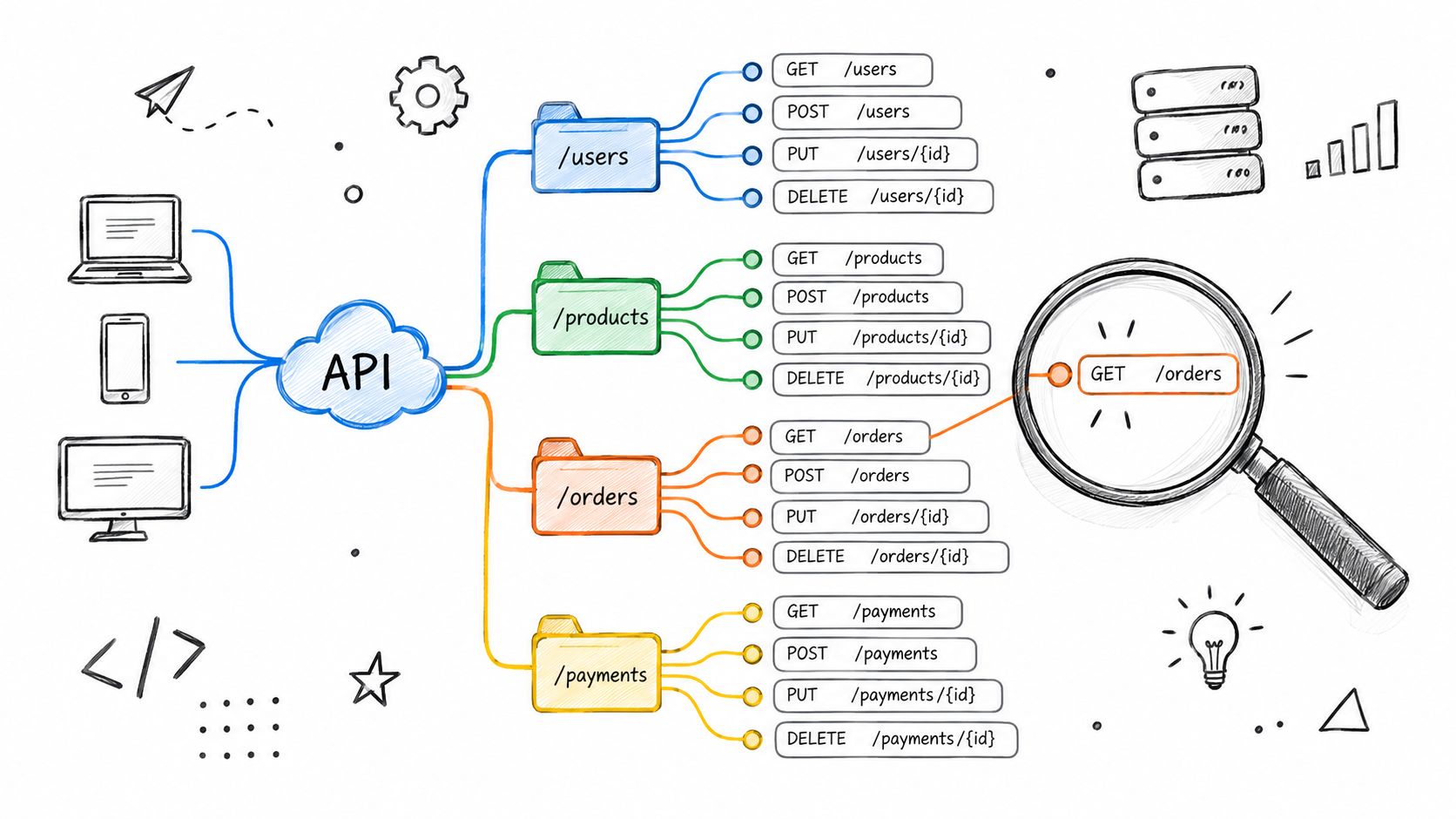
The API follows a parent-child structure. An ad account contains campaigns, campaigns contain ad sets, and ad sets contain ads. Creatives sit alongside those objects and are referenced when an ad is assembled. Your requests should reflect that dependency order.
A typical account-level read uses a GET request against the account object. Campaign creation uses a POST request to an account campaigns edge, conceptually /act_{ad_account_id}/campaigns. An ad set request also starts at the ad account, but includes a campaign reference. An ad request includes both an ad set reference and a creative reference.
Build from the outside in
A reliable integration treats each response as an input to the next operation:
- Account discovery: Read the authorized accounts and store stable identifiers.
- Campaign creation: Send the objective, name, special category settings where applicable, and an initial status.
- Ad set creation: Reference the campaign and provide targeting, budget, schedule, and optimization settings supported by the current API version.
- Creative preparation: Upload or reference the required media and construct the message, link, and call-to-action fields.
- Ad creation: Connect the ad set and creative, then validate the returned object.
- Insights retrieval: Query reporting at the account, campaign, ad set, or ad level according to the reporting question.
The exact field set changes with product capabilities and API versions, so avoid treating an old payload as a permanent contract. Pin a version in production, validate responses against your own schema, and keep a migration test suite for creation, editing, status changes, and reporting.
Prefer explicit payloads
A request should contain only the fields the operation needs. Explicit payloads make review easier and reduce the chance that a stale default travels from a template into a new campaign. A campaign creation request might include name, objective, status, and special_ad_categories. An ad set request might include campaign_id, targeting, budget fields, scheduling fields, and optimization settings.
Use structured logs for every write. Record the account, endpoint, object identifiers, requested fields, response status, and resulting object state. Do not log access tokens or sensitive customer data.
The most dangerous implementation mistake is treating a successful HTTP response as proof that the intended campaign exists exactly as requested. Validate the returned fields, compare them with the request intent, and preserve the response for later audit. A platform can accept a request while applying defaults, rejecting a field, or returning a state that your orchestration layer didn’t anticipate.
Campaign Creation and Management Workflows
A safe campaign workflow separates planning, creation, review, and activation. The API can execute the mechanics, but it shouldn’t decide that every successfully created object is ready to spend.
Begin with a structured campaign plan. Give each campaign a stable internal identifier, an approved name, an objective, an account, a targeting policy, a budget boundary, and a review owner. Your system should reject incomplete plans before they reach Meta.
Create paused objects first
The first write should create the campaign in a paused state. The same default should apply to the ad set and ad wherever the platform permits it. This gives a media buyer time to review the hierarchy, targeting, creative references, tracking parameters, and budget before activation.
A practical sequence looks like this:
- Validate locally: Check required fields, account ownership, naming rules, budget ceilings, and allowed targeting changes.
- Create the campaign: Store the returned campaign ID and compare its status with the requested paused state.
- Create the ad set: Confirm that the campaign ID belongs to the intended account before sending the next request.
- Attach the creative: Confirm that the creative exists, uses the intended page or identity, and matches the placement requirements.
- Create the ad: Save the ad ID, review status, and complete request context.
- Request approval: Activate only after a human or an explicit policy-controlled workflow approves the plan.
The API’s hierarchy creates natural checkpoints. Don’t hide all calls behind one opaque “launch” button. Expose each stage in the activity history so an operator can see where the workflow stopped.
Handle partial failure deliberately
Suppose campaign creation succeeds, ad set creation succeeds, and creative creation fails. A retry that blindly starts from the beginning may create duplicates. Use idempotency keys in your own orchestration layer, search for an existing object with the same internal plan identifier, and resume from the last confirmed step.
Don’t make deletion the default cleanup strategy. A failed or abandoned object can still be useful evidence during investigation, while hard deletion removes context. Prefer pausing, archiving where supported, and recording why the workflow stopped.
For agencies, account boundaries matter as much as object boundaries. A central service should know which operator may act on which account and should make the selected account visible before any write. Teams comparing approaches can use this practical guide to multi-account management when designing those account-level controls.
Expect platform changes
Meta’s campaign products evolve toward more opinionated structures. Legacy assumptions can become unsafe when a version changes what the API accepts, rewrites, or blocks. Build contract tests around the fields that matter to your business, and test them against a staging account before upgrading.
The operational question isn’t only “did the request return success?” It is “did Meta create the object my automation thinks it created?” That distinction is the difference between an API integration and a production campaign system.
Performance Monitoring and Insights Queries
A dashboard can refresh successfully while reporting the wrong story. A changed breakdown, attribution rule, or unavailable Reach field may alter the comparison without producing an obvious error. Define a metric contract before building the query, then preserve enough context to explain every reported value.
Specify the account, level, date range, fields, attribution settings where relevant, and breakdowns. Request only fields that support the decision. The Meta Marketing API and Insights reference documents reporting metrics such as impressions, clicks, and deduplicated reporting across child objects.

Synchronous for inspection, asynchronous for production
A small synchronous query suits an operator checking a value or a developer testing a field. Large account-wide reports should run as asynchronous Insights jobs. Submit the job, store its identifier, poll for completion, download the result, and record the query definition beside the data.
Pagination affects correctness. Follow each paging cursor until the result set is complete, and record whether the job finished successfully or returned a partial failure. If a report times out, narrow the date window, remove unnecessary breakdowns, or split account and object levels into separate jobs.
Reporting semantics can change independently of campaign settings. The Analysis of Meta API updates affecting Reach and attribution describes Meta’s 2025 updates, including a restriction that limits Reach queries with age, gender, or country breakdowns to the past 13 months. It also describes attribution handling that assigns on-Meta events to impression time.
Store the query definition, API version, extraction timestamp, attribution configuration, and source response with normalized metrics. This record gives analysts a defensible audit trail when a result changes. AdCrunch can add safety constraints around query configuration and retain audit trails, reducing the risk that an automated report changes the basis for campaign decisions without notice.
Treat breakdowns as expensive questions
A breakdown increases request cost and multiplies the rows that the warehouse must reconcile. Combining demographic and geographic dimensions can make a report slower, harder to validate, and more exposed to changes in query availability. Start with the business question, then choose the narrowest dimension that answers it.
A practical reporting pipeline has three layers:
- Raw capture: Preserve the response and request parameters.
- Normalization: Convert names, IDs, dates, and metric types into stable warehouse fields.
- Decision views: Build dashboards only from metrics with documented definitions and comparison windows.
This separation prevents a dashboard from presenting a false trend because Meta changed attribution semantics or query availability. It also makes failed extractions visible before they influence budget or optimization decisions.
Rate Limits and Throttling Strategies
Many teams assume rate limits are a temporary nuisance that a faster worker pool can overcome. That assumption fails in production. More concurrency can turn a recoverable throttle into a queue of retries that consumes even more capacity and obscures which writes succeeded.
Meta’s limits are sensitive to the kind of request, the objects involved, and the amount of data requested. A narrow object read and a large Insights query should not share the same retry policy. Treat them as different workloads with different queues.
Design the queue before the worker
Separate reads, writes, and heavy reporting jobs. Give writes stronger ordering guarantees, because two budget changes sent out of order can produce a confusing final state. Let reporting jobs run asynchronously and at a controlled pace rather than competing with urgent operational actions.
Use caching for stable metadata such as account structure, campaign names, and creative identifiers. Refresh performance data according to its decision value. There’s no reason to repeatedly fetch an unchanged object merely because a dashboard happens to reload.
For a broader explanation of queueing, backoff, and token-bucket concepts, this rate limiting algorithms guide provides useful background. The implementation detail that matters most is still local: your service must know which requests are safe to retry.
Retry only when retrying is safe
Use exponential backoff for throttling and transient failures. Add jitter so several workers don’t retry at the same instant. Put a ceiling on attempts and send exhausted jobs to a review queue.
Never blindly retry a non-idempotent write. If the network fails after a campaign creation request reaches Meta, the client may not know whether the object was created. Search by your internal operation key or reconcile the account before submitting another creation request.
A resilient integration also degrades gracefully. It can delay a report, show the last successful extraction time, and alert an operator without repeatedly attempting a sensitive write. Reliability comes from controlled uncertainty, not from pretending the API is always available.
Common API Mistakes and Troubleshooting
Manual Ads Manager work fails visibly. A person sees a validation message, corrects a field, and continues. API-driven work can fail invisibly when the application interprets a response incorrectly, retries a completed request, or assumes that a deprecated field still behaves as it did before.
The comparison is straightforward:
| Manual workflow | API-driven workflow |
|---|---|
| A person reviews each screen | Code validates only what it was designed to validate |
| Duplicate work is slow | Duplicate work can spread quickly |
| A mistake may affect one object | A loop can affect many authorized objects |
| Context often lives in the interface | Context must be stored in logs and plans |
Diagnose from the boundary inward
Start with the account and token, then move toward the payload:
- Identity: Which token made the request?
- Permission: Does it have
ads_read,ads_management, orbusiness_managementas required? - Account access: Is the token identity authorized for the selected ad account?
- Object relationship: Does the campaign, ad set, or creative belong to that account?
- Payload: Are field names, enum values, and nested structures valid for the pinned version?
- Platform state: Has the object been rejected, archived, or changed by another operator?
- Version behavior: Has Meta deprecated or altered the relevant operation?
Do not reduce every failure to “the API is flaky.” Permission errors usually require access correction. Validation errors require payload correction. Throttling requires queue behavior. A successful response followed by an unexpected object state requires reconciliation.
Protect against silent mismatches
A particularly serious failure occurs when an automation layer believes it created one campaign structure while Meta accepted a different structure or applied platform defaults. This risk grows as Meta retires legacy campaign APIs and moves toward more opinionated Advantage+ structures. Recent coverage describes legacy ASC and AAC creation being blocked in v24.0, with broader enforcement connected to v25.0 in Q1 2026. (Coverage of Meta Marketing API campaign deprecations)
Use preflight validation, post-write reads, and drift checks. Compare the intended plan with the returned object and flag differences for review. For existing campaigns, avoid automatically rewriting fields your tool doesn’t own. A narrow write scope is safer than a general-purpose “synchronize everything” command.
Modern Approaches to API-Driven Campaign Management
A production campaign tool should combine API capability with operating constraints. The goal isn’t to give an agent or script unrestricted control. The goal is to make useful actions easy while making dangerous actions difficult, visible, and reversible.
That usually means starting with a plan rather than a direct command. A plan can contain the target account, campaign structure, intended budget, approved creative references, and expected status. The execution layer then validates the plan, performs writes in order, and records each result.
Safety constraints belong in the product
Useful constraints include:
- Paused creation defaults: New campaigns, ad sets, and ads arrive paused so review happens before spend.
- No hard deletes: The system preserves objects and history instead of removing evidence during cleanup.
- Protected targeting: Existing ad set targeting isn’t changed by routine automation.
- Restricted bid edits: Bid changes stay outside the permitted write surface when they create disproportionate risk.
- Permanent activity logs: Every action records the account, change details, request origin, and outcome.
- Server-side credentials: Tokens remain with the operations service and aren’t passed to an LLM or browser client.
These constraints don’t eliminate the need for engineering judgment. They define a safe operating envelope. A team can then automate campaign construction, budget adjustments, and pause or resume actions while reserving high-risk changes for a deliberate workflow.
Connect agents to governed actions
LLM-connected tooling adds another layer of uncertainty because natural-language requests can be incomplete. “Reduce spend on the weak campaigns” needs a definition of weak, a time window, a budget boundary, and an approval policy. The agent should ask for or apply those constraints before writing.
A safer design stores brand rules and operational playbooks as explicit instructions. It exposes read actions broadly, but routes writes through typed operations with validation. It also keeps the plan and launch state synchronized, so the operator can inspect what the agent intends to do before execution.
Some teams may prefer to build this layer themselves. Others may use a specialist Hire Developers service to implement the permission model, queueing, and audit requirements around their existing workflows. The choice depends on how much of the integration your team wants to own.
For teams evaluating an operations product, Meta Ads automation should be judged by its write boundaries, not just its conversational interface. Ask whether it can show the exact request, preserve the result, prevent destructive actions, and keep credentials away from external model clients.
The Facebook advertising API is powerful because it turns repetitive campaign work into software. Production safety comes from accepting that software can also repeat a mistake with equal efficiency. Build around paused creation, narrow permissions, asynchronous reporting, controlled retries, post-write reconciliation, and a permanent record of every change.
AdCrunch provides API-connected campaign operations for Meta and other advertising platforms, with paused creation defaults, constrained write actions, and a permanent activity log for each change. Visit AdCrunch to evaluate whether its governed workflow fits your account management and automation requirements.