
Marketplace Facebook Ads: A Simple Guide to Results
Learn how Marketplace Facebook Ads work, who they reach, which listings perform, what results to expect, and when to add them to your ad mix.

You’re refreshing Marketplace between messages, and the same pattern keeps showing up. A few people ask if the item is still available. One wants a lower price. Another never replies after you say yes. The organic listing is doing some work, but it isn’t filling the week.
Marketplace Facebook ads are the paid version of that same shopping trip. You pay to put a listing-style ad in front of people who are already browsing, comparing, and messaging sellers. The ad can start more of those conversations. It can’t finish the sale by itself. Your photos, your price, how fast you reply, and the record you keep of what sold matter just as much as the bid.
Table of Contents
- What Facebook Marketplace Ads Are and Where They Appear
- How to Turn On Marketplace Placement and Win the Auction
- Choosing Local Targeting Without Narrowing Too Far
- Listing and Creative Checks That Lift Response
- Measuring Marketplace Results and Setting Fair Expectations
- Marketplace Limits, Rules and Pitfalls to Avoid
- Deciding When Marketplace Belongs in Your Ad Mix
What Facebook Marketplace Ads Are and Where They Appear
A shopper searching for a used bike may compare several listings before messaging a seller. Marketplace Facebook ads put a paid listing-style tile among those shopping choices, blending paid discovery with peer-to-peer selling. The ad can bring a shopper to the listing, while the seller’s replies and the final sale shape what happens next.
Ads can appear in the Marketplace tab, search results, and category pages. A typical tile shows a photo, title, and price if one is supplied. It resembles the listings around it, so the shopper can tap through to learn more or contact the seller.
Meta introduced Marketplace on October 3, 2016, as a local buy-and-sell destination in the Facebook app, initially for adults in the United States, the United Kingdom, Australia, and New Zealand, according to Meta’s launch announcement. Marketplace grew out of existing buy-and-sell Groups on Facebook, a platform whose Groups were used by more than 450 million people each month, as the same announcement explains. The tab gave those existing shopping habits a dedicated place.
Marketplace is a placement within Meta’s ad system, not a separate campaign type. You create a regular campaign and include Marketplace among the places it can appear. If campaigns, objectives, and budgets are new to you, the 2026 Facebook ads guide for startups explains the basic setup before you add this placement.
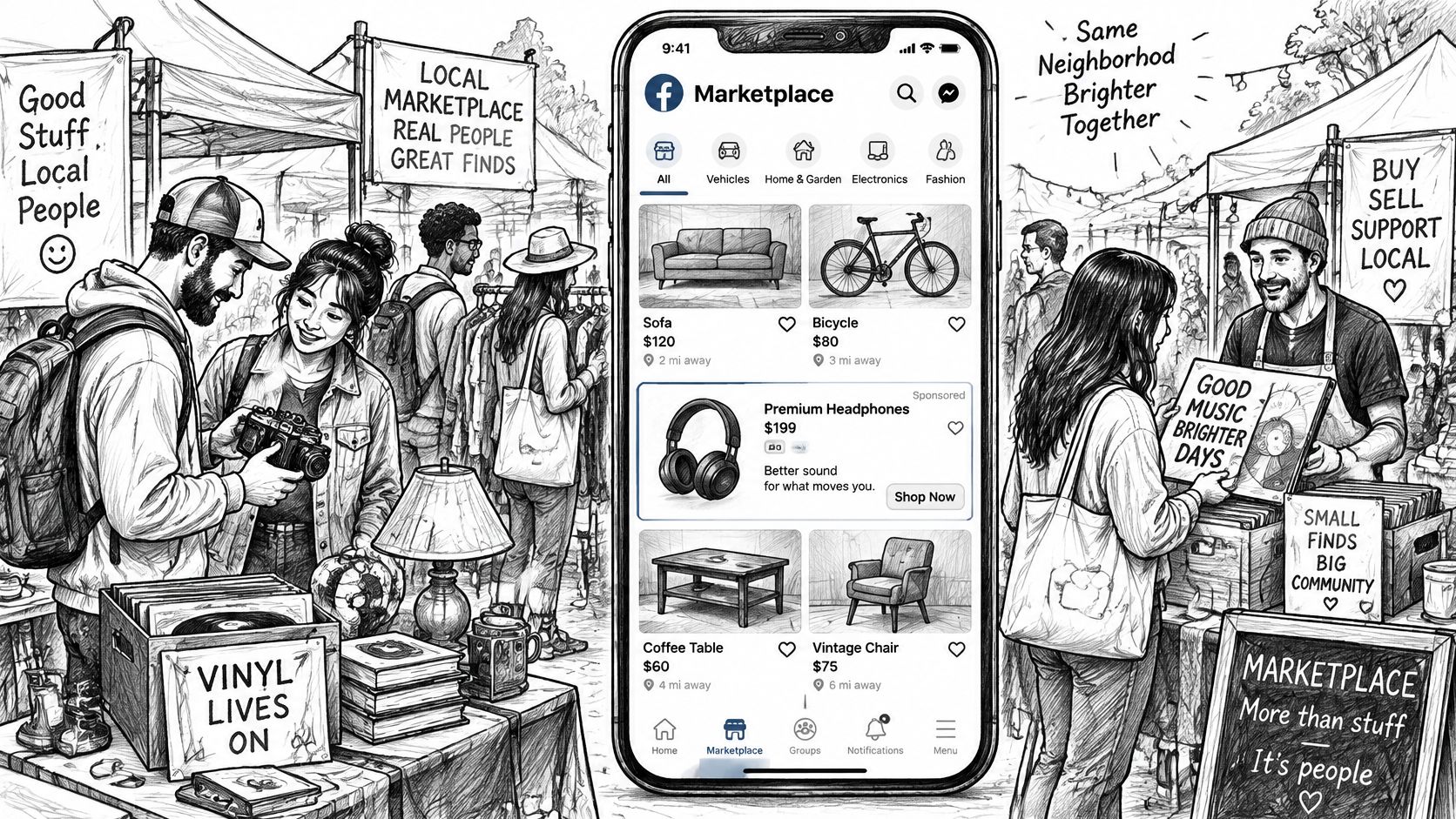
How Marketplace differs from the feed
| Factor | Marketplace placement | Feed placement |
|---|---|---|
| Where the ad appears | Marketplace tab, search results and category pages | News Feed, Stories and Reels |
| Buyer mindset | Browsing listings and comparing items | Scrolling through updates and entertainment |
| Ad look | Listing-style tile with photo, title and price where supplied | Full post with media and written copy |
| Best objectives | Messages, leads and product-led sales | Awareness and a wide range of objectives |
| Local targeting fit | Suits radius and location targeting | Can support local or broader reach |
| Typical first step | Add the placement and test one product line | Often the default starting point |
Marketplace gives the ad a shopping context, but a view is not a sale. Meta can report activity within its ad system, such as clicks and messages, while an in-person handoff or a sale completed elsewhere may not be visible there. Keep a simple record of inquiries, seller replies, and completed sales to understand which conversations led to a purchase.
How to Turn On Marketplace Placement and Win the Auction
Before you touch a budget, decide how you’ll know a sale happened. A meetup, a cash pickup, or a checkout on another site may never send a purchase back to Meta. Write that down first. Delivery charts will not fill the gap later.
A short walkthrough of the Ads Manager screens helps if you want to see the clicks before you follow the list.

Six steps to switch the placement on
- Open or create a campaign and pick an objective that matches your goal, such as messages or sales, not a cheap click.
- At the ad set, choose Advantage+ placements or manual placements.
- On manual placements, tick Marketplace under Facebook placements.
- Use a clear product photo on a plain background so it still reads as a small listing tile.
- Open the ad preview and check the Marketplace version before you publish. The tile often shows the headline and image, not your long text.
- Start with a modest daily budget. After a few days, open the placement breakdown and read Marketplace on its own row.
If the menus feel unfamiliar, this guide to Meta Ads Manager covers where campaigns, ad sets, and placement controls sit.
Why a higher bid often loses
Meta does not hand the impression to the highest bid. For each impression, the system scores your bid, the estimated action rate (how likely that person is to do the action you optimized for), and an ad quality score, then the highest total value wins, as Meta’s auction explanation describes. Quality drops when people hide the ad or the copy withholds the offer.
Say two shops sell the same lamp. Shop A bids more but uses a dark photo and “Amazing deal inside.” Shop B bids less, shows the lamp, states the price, and sends people to a page that matches the tile. Shop B can win because Meta expects more of the action you asked for.
Practical rule: Fix the offer, the photo, and the conversion event before you raise the bid. Cost per thousand impressions only tells you the auction was busy.
The clip below shows the preview and publish flow if you want to watch the clicks once.
Choosing Local Targeting Without Narrowing Too Far
Marketplace shoppers are usually nearby and already looking for a thing, not a hobby label. Location does more work than a long list of interests. A person comparing sofas within driving distance is a better match than someone who once liked a furniture page three towns away.
Meta’s delivery is person by person. The auction estimates how likely that individual is to take your chosen action and how likely they are to see the ad as high quality. Meta’s relevance guidance says higher-relevance ads can win at a lower cost. The same radius and the same bid can deliver very differently once the photo, the landing page, or the feedback on the ad changes.
Audience options side by side
| Option | Best for | Watch out for |
|---|---|---|
| Location radius | Local sellers and pickup items | A small radius can exhaust the audience quickly |
| Broad audience with location | Starting tests and most listings | Needs strong creative to filter the right buyers |
| Interest targeting | Niche categories such as vintage or specialist gear | Narrow audiences often raise cost per result |
| Lookalike audience | Scaling from a list of past buyers | Needs a large enough source list to work well |
| Custom audience | Reaching past website visitors or customers | Limited reach; depends on pixel data or a customer file |
Start broad inside a sensible radius around pickup or delivery. Add an interest only after the ad set is spending and you can see who is messaging.
Say a seller of used road bikes in one city starts with a 25 km radius and no extra interests. After the first week there is enough delivery to read. Only then do they test a cycling interest as a second ad set, leaving the broad one running.
A tiny radius burns through the same neighbors fast, and costs climb because fewer people are left to show the ad to. When delivery looks weak, change the listing and the creative before you shrink the map again. Short-term movement in cost per thousand impressions is auction noise. Watch whether people complete the action you optimized for, and don’t scale the budget until that volume is real.
Listing and Creative Checks That Lift Response
Buyers on Marketplace often open several similar listings, look at the seller, ask a question, and haggle before they pay. Keepers Digital’s Marketplace ads guide treats this as paid discovery plus person-to-person selling, not a normal feed click. The tile only gets you into that comparison.
What to put on the listing
- Photos: Well-lit shots of the item itself, from more than one angle, on a clean background.
- Title: Brand, model, or size in the words a buyer would search.
- Price: An honest number, plus a short note on how it sits next to similar listings.
- Condition: Plain words. “Light scratches on the top” beats “good condition.”
- Handoff: Pickup window, delivery area, or shipping, stated up front.
- Place: The neighborhood or city so the radius matches the offer.
- Reply promise: A time you can keep, such as within a few hours on weekdays.
- Stock answers: Three or four replies ready for price, availability, pickup, and flaws.
Lead with the product, not a slogan. Skip “great deal” and “must see.” Those phrases don’t help someone choosing between two tiles. For layout that still reads at tile size, check Facebook ad image sizes before you export the file. If you want patterns from ads that convert outside this placement, compare effective Facebook ads for 2026 from SimpleLab Digital, then adapt the idea to a listing, not a slogan post.
Change one thing at a time, usually the photo or the price, and keep a simple log of the date and what you changed. Editing every day restarts learning, so you can’t tell which change helped.
“Bike for sale” rarely earns a useful reply. “Trek 2019 hybrid, 56 cm, new tyres, pickup Saturday” earns questions from people who already know the size fits.
Measuring Marketplace Results and Setting Fair Expectations
A click, a message, and a sale are three different events. Counting them as the same thing makes a weak week look successful. The useful question is simple. Do you control the page where the purchase happens, or does the money change hands at a meetup or on another marketplace?
If the sale is off Meta, Pixel-based purchase optimization may be unavailable. Uplify’s note on Meta measurement is direct about that case: report traffic or leads, and don’t claim revenue the platform never saw. Meta describes Conversion Lift as a randomized test versus a control group. That kind of holdout is more credible than a return figure built only from clicks, once you have enough volume. Check that the events in Events Manager are the events you think you’re optimizing.
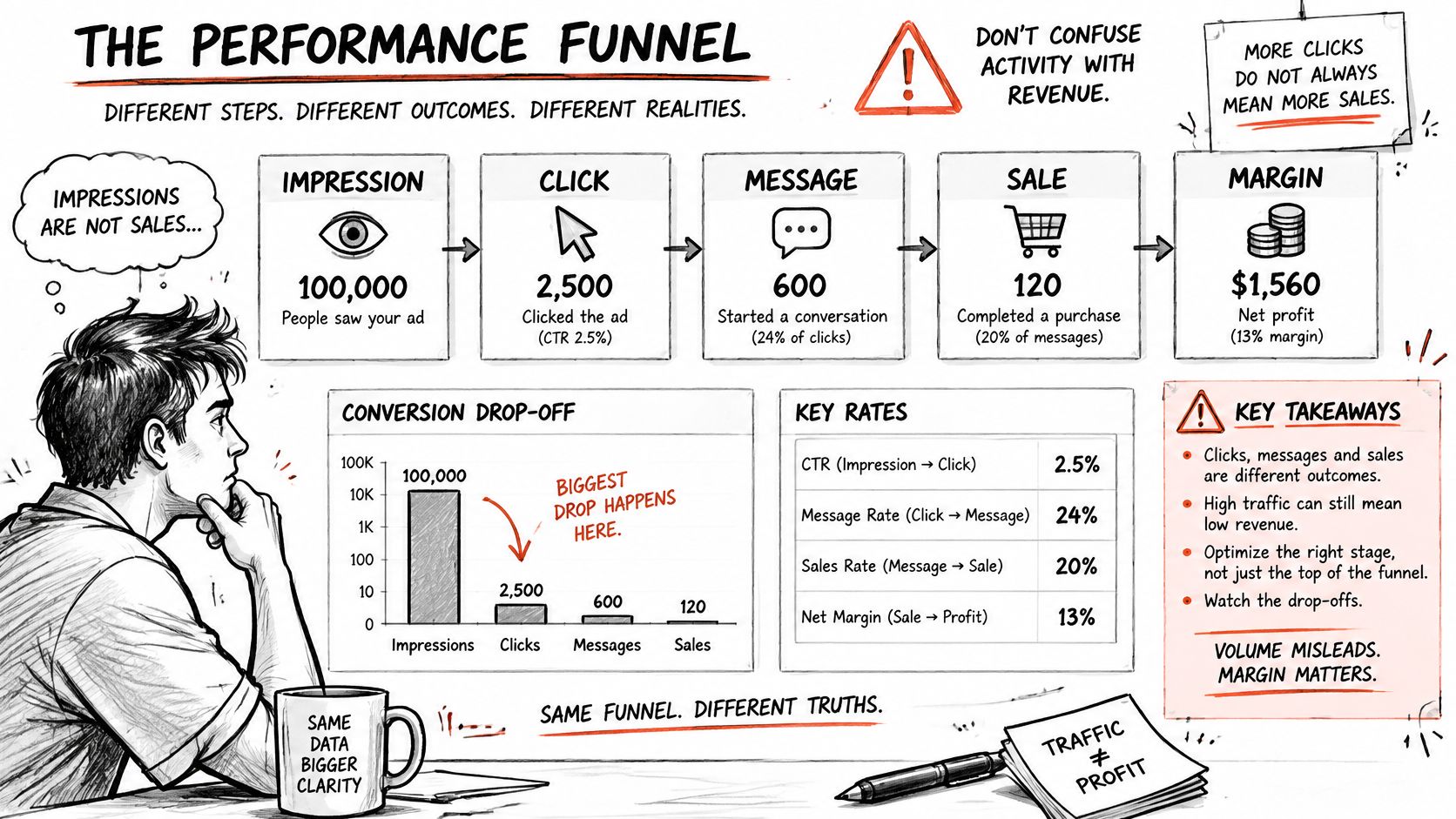
The path from a view to margin
| Stage | What to measure | Where to find it | What it tells you |
|---|---|---|---|
| Impression | Reach and frequency | Ads Manager | Whether the ad is delivering |
| Click | CTR and cost per click | Ads Manager | Whether the listing tile earns attention |
| Listing view or landing | Landing page views | Ads Manager and site analytics | Whether the destination matches the ad |
| Message | Messages started and cost per message | Ads Manager | Early buyer interest |
| Qualified conversation | Replies about price, pickup or availability | CRM or inbox log | Real buying intent |
| Completed sale | Sales and order count | Order system or CRM | Revenue outcome |
| Margin | Revenue minus fees and fulfilment cost | Finance records | Whether the sale was worth it |
What you can see, and what you must record
Ads Manager can show impressions, clicks, and messages started. It cannot see a cash handoff in a car park unless you send that event back. Close the gap in four ways.
- Match orders: Reconcile inbox names and dates with your CRM or order book.
- Tag the path: Use a unique code or a dedicated landing path per placement.
- Mark intent: In the inbox, tag a thread only when the person asks about price, pickup, or stock.
- Hold some people out: When volume allows, compare people who could see the ad with a group who could not.
For the metric names inside Ads Manager, this breakdown of ad performance metrics keeps click rate, cost per result, and purchase events from getting mixed up.
There is no universal “good” cost for this placement. Run Marketplace and the feed side by side for the same two weeks on the same product line. Compare cost per qualified conversation and margin per dollar spent, not cost per click.
A cheap message that never becomes a sale is not a win.
Marketplace Limits, Rules and Pitfalls to Avoid
Marketplace is easy to switch on and easy to misread. The limits are practical, not mysterious.
- Policy still applies. Meta’s advertising standards cover these ads. Weapons, counterfeit goods, and other restricted or prohibited products can’t be advertised. Read the current standards before launch, because the list changes.
- The ad must match a real offer. Price, item, and destination have to agree. A mismatch gets rejected, or the buyer leaves as soon as the page loads.
- A local radius is finite. The same neighbors see the tile again and again, and fresh delivery slows.
- Some offers need more than a tile. Services and high-ticket purchases usually need proof, reviews, and a longer conversation than a photo and a price can carry.
Two mistakes show up after the ad is already spending.
A generic homepage. The tile promised one item, and the link opens a menu of everything you sell. Response drops because the shopper has to hunt. Point the ad at the exact listing or offer page.
A one-week verdict. A few days of clicks isn’t enough to decide the placement failed or succeeded. Wait until you have enough of the action you optimized for, then compare margin, not vibes.
Marketplace is a useful test channel with clear edges. It does not replace feed, search, or a sales process that already works for offers people won’t buy from a tile.
Deciding When Marketplace Belongs in Your Ad Mix
Add Marketplace when four things are true at once. The product is local or easy to pick up. Buyers normally search and compare before they pay. Someone on your side can answer messages quickly. You can reconcile the sale even when Meta never sees the payment.
Skip it when the product is a subscription, a service with no local delivery, or a high-trust purchase that needs several calls. A tile can’t carry that conversation, and you’ll pay for messages that stall.
Say an agency runs three clients. The secondhand electronics retailer, with stores in two cities, gets a Marketplace test: one product line, its own placement report, and a log of every budget or creative change. The software subscription client stays out. Nothing about that client’s sale happens in a local meetup, so the placement would only manufacture unqualified chats.
Keeping the test readable across accounts
Teams that use AdCrunch connect Meta, TikTok, and Google Ads through official OAuth, read performance across those networks, and write changes on Meta from the same place. Setup takes a few minutes: connect the ad accounts, add the connector, and ask the first question. New campaigns, ad sets, creatives, and ads the agent builds on Meta are created paused and spend only after a separate request to resume them. Every change to a campaign, ad set, or ad shows on the Activity page with the ad account, what changed, who asked for it, and whether it worked. That log is what stops a two-city test from turning into “someone edited it on Thursday.”
This week, pick one market and one product line. Run a fixed budget for two to four weeks. Read Marketplace as its own placement. Decide on margin after fees and fulfilment, not on how many people tapped Message.
AdCrunch is an AI-native ad operations toolkit that lets agencies and in-house teams query live results and make controlled changes on Meta, including Marketplace placements, without losing the audit trail. If you’re testing this placement across several accounts, visit AdCrunch and connect the accounts you already manage.