
8 Examples of Google AdWords Ads: Why They Work in 2026
Explore 8 real examples of Google AdWords Ads across Search, Display, Shopping, and video, with why each works and takeaways you can apply.
Your campaign goes live tomorrow. You have an approved budget, a product page, and a folder of creative assets, but you still need to decide whether to run Search, Shopping, video, or something more automated. Choosing the wrong format can leave good copy doing a job it wasn’t built for.
The best examples of Google AdWords ads aren’t necessarily the prettiest. They connect a buyer’s intent to a useful offer, send that buyer somewhere relevant, and give the advertiser a measurable business outcome. Google AdWords is now Google Ads, but the practical question hasn’t changed: what should you run, and what needs to work behind it?
Collections of creative paid search ad examples can help with messaging. Before borrowing a headline, though, check whether your audience, offer, and landing page support the same approach.
- Capture existing demand: Use Search or Shopping when buyers already know what they want.
- Introduce an unfamiliar product: Use visual creative that demonstrates the problem and solution.
- Optimize for business value: Measure qualified leads, purchases, or meaningful app activity, not just clicks.
The examples below are practical scenarios, not claims about campaigns that ran. They cover ad formats, campaign types, and lead form assets, because the creative and the system serving it need to work together.
Table of Contents
- 1. Responsive Search Ads (RSAs)
- 2. Standard Shopping Campaigns (Product Shopping Ads)
- 3. Performance Max Campaigns
- 4. Demand Gen Campaigns
- 5. YouTube Video Ads (In-Stream Skippable and Bumper Ads)
- 6. Responsive Display Ads
- 7. App Campaigns (App Install and In-App Action Goals)
- 8. Lead Generation Campaigns with Lead Form Extensions
- How the eight Google Ads formats compare on goal, best use, and main trade-off
- Turn These Google Ads Examples Into a Testing Plan for Next Quarter
1. Responsive Search Ads (RSAs)
A reporting software company targeting agency reporting searches shouldn’t send every prospect the same generic software message. Its RSA should reflect the task: collecting client data, preparing reports, and sharing results.
Google’s responsive search ads documentation allows 3–15 headlines and 2–4 descriptions, with combinations that may display up to three headlines and two descriptions. Your asset set matters more than a polished mockup because assets can appear in different combinations.
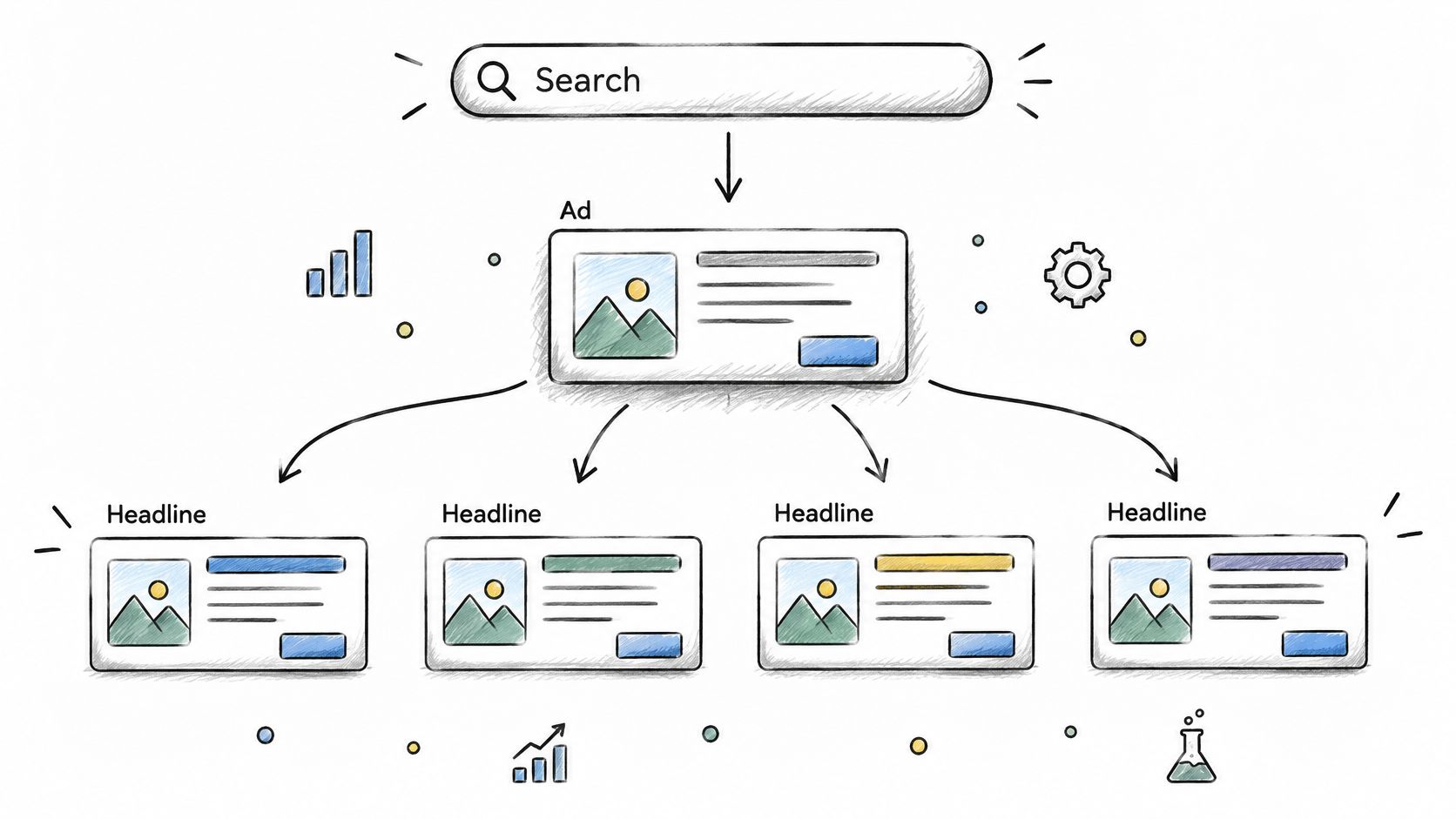
A complete starter asset set
Headlines
- Intent: Agency Reporting Software
- Benefit: Simplify Client Reporting
- Action: Book a Reporting Demo
Descriptions
- Workflow: Bring client reporting into a shared workspace. Explore the workflow in a product demo.
- Audience: Built for agency reporting teams. See how to prepare and share client-ready reports.
Use these only if the product supports the promises. Send visitors to an agency-specific demo page, not a homepage that makes them rediscover the offer.
Start with the assets unpinned. If compliance requires particular wording to appear, pin that wording to an appropriate position and leave the remaining messages flexible. Pinning gives you control, but it reduces the combinations available for testing.
The practical explanation of how responsive search ads work is useful when briefing writers: every headline must make sense beside the others. Avoid assets that depend on a preceding sentence, and check previews for repetition.
Judge the result by qualified demos, not whether your favorite headline appears most often. Review search terms, exclude irrelevant intent, and revise the landing page when visitors click but don’t progress.
2. Standard Shopping Campaigns (Product Shopping Ads)
For a retailer selling running shoes, the ad’s main creative isn’t a clever sentence. It’s the product image, title, current price, and availability pulled from the product feed.
Say the retailer stocks everyday trainers, premium racing shoes, and clearance inventory. Combining them under the same bidding logic makes it harder to protect margin or understand where spend belongs.

Build the product listing before adjusting bids
A useful hypothetical title is Brand Women’s Road Running Shoes Blue, followed by the relevant model and variant information. That’s more informative than an internal stock name or a title stuffed with promotional language.
Use a clean product image that makes the shoe recognizable at a glance. The destination should open the advertised product with the matching variant available, rather than a category page requiring another search.
- Connect the catalog: Link Merchant Center and Google Ads, then resolve product approval issues before expanding spend.
- Label commercial differences: Use custom labels for margin bands, clearance stock, and seasonal products.
- Separate bidding decisions: Build product groups around distinctions that change what you can afford to pay.
- Verify purchase tracking: Check transaction values, currency, and duplicate purchase events.
Standard Shopping suits retailers who want deliberate product-group management. It doesn’t remove the need to inspect search terms, and campaign priority isn’t a substitute for a coherent bidding structure.
Feed rule: Fix a misleading title or unavailable variant before trying to solve the problem with a higher bid.
Treat feed management as part of ecommerce paid search, not a separate catalog task. Review Merchant Center issues regularly, especially after stock, pricing, or website changes.
3. Performance Max Campaigns
Performance Max is a campaign system, not a single ad layout. A homeware retailer might supply product data, room photography, demonstration videos, and text assets, then let Google assemble and distribute ads across eligible inventory.
The useful setup starts with product categories. A storage collection and a lighting collection need different imagery, copy, and landing pages, even when they sit inside the same campaign.
A category-led example
For a modular storage range, use the headline Make Room for Everyday Life, photographs showing the product in use, and video demonstrating how the pieces fit together. Send visitors to the storage collection, with dimensions and compatibility easy to find.
- Define value: Confirm that purchase values and returns are handled consistently before optimizing toward revenue.
- Organize assets: Keep each asset group focused on a coherent product family and destination.
- Supply suitable creative: Provide your own images and video rather than depending entirely on automatically assembled material.
- Check boundaries: Review brand exclusions, URL expansion settings, product inclusion, and available search insights.
The following video provides additional context for campaign planning.
The trade-off is broader automated distribution versus less direct control over each delivery decision. Audience signals can guide the system, but they aren’t a promise that only those people will see the ads.
In Google’s Kueez case study, engaged visits increased by more than 50% within 45 days, while CPA remained approximately similar. That’s a case-specific outcome, not a forecast for your account.
Use AI for Google Ads to support analysis and organization, but keep the conversion definition under human control. Automation can’t distinguish commercial value from a poorly chosen success event unless your measurement gives it that distinction.
4. Demand Gen Campaigns
A sunscreen brand launching a portable stick has a different problem from a plumber answering urgent searches. Most potential buyers aren’t actively looking for that exact product, so the creative needs to show why it belongs in their routine.
A useful Demand Gen concept starts with a recognizable situation: someone packing a bag before leaving home. Show the product in use, then introduce the benefit without making unsupported health or performance claims.

Example headline: Sun Care That Fits Your Routine
Supporting copy: Explore a portable sunscreen stick for your everyday bag. See application guidance and product details.
The landing page should continue that demonstration. Show packaging scale, application instructions, ingredients, and the information buyers need to decide whether the product suits them.
Set up for discovery, not just remarketing
- Separate audiences: Distinguish customer acquisition from returning-visitor activity so results remain interpretable.
- Prepare varied creative: Supply square, portrait, and wide versions, checking text and product visibility in previews.
- Use customer data carefully: Apply consented customer lists where appropriate and verify exclusions.
- Measure downstream behavior: Track purchases alongside useful intermediate actions, such as viewing detailed product information.
The creative must explain the product without relying on search intent. A product packshot and a vague lifestyle slogan often leave too much work for the viewer.
Don’t refresh creative purely because the calendar says it’s old. Compare exposure, engagement, and conversion quality, then replace concepts that no longer attract useful visits.
Demand Gen can support consideration while Search captures active demand. Keep those roles distinct when judging results, and don’t treat every attributed purchase as proof that the customer wouldn’t otherwise have bought.
5. YouTube Video Ads (In-Stream Skippable and Bumper Ads)
A wireless headphone launch needs more than footage of someone enjoying music. The viewer needs to recognize the product, understand the benefit, and know what to do next.
For a skippable in-stream concept, open on the actual headphones during a commute. Show the brand immediately, demonstrate a relevant feature, and end with a direct invitation to explore the product.
Write the demonstration before the script
Opening: A commuter puts on the headphones as the product name appears.
Demonstration: Close-ups show the controls and how the headphones fold into their case.
Closing: Explore the headphones. Find your fit.
A bumper version should carry a simpler message: the product, a recognizable visual, and a clear brand association. Don’t compress the entire longer script until nobody can follow it.
The comparison of YouTube ad formats for performance marketers can help with format selection. The production decision is whether you need room to explain or a concise reminder that works without explanation.
A viewer shouldn’t need to reach the ending to discover which product you’re advertising.
Before launch, check subtitles, mobile legibility, destination URLs, and whether the call to action matches the landing page. Review suitability settings and available inventory controls rather than assuming every video environment fits the brand.
Keep awareness and acquisition evaluations separate. A campaign designed for broad reach shouldn’t be judged only by immediate purchases, but attributed conversions also shouldn’t become an excuse to ignore business impact.
Inspect the conversion windows and distinguish click-driven results from view-based attribution. If you change creative and targeting together, you’ll struggle to tell which change affected performance.
6. Responsive Display Ads
A traveler browses a hotel’s family rooms, checks availability, and leaves without booking. A responsive display ad can continue that specific conversation, provided the hotel has the appropriate consent and audience eligibility.
The useful message isn’t a generic holiday offer. It’s a reminder of the destination and room type the visitor considered.
Headline: Plan Your Family Stay in Bath
Description: Explore family rooms, check available dates, and review booking terms before reserving.
Use current photographs of the actual accommodation. Send visitors back to the relevant room or booking journey, not a homepage carousel that forces them to start again.
Match creative to the audience’s last useful action
- Separate intent: Keep room viewers distinct from people who reached the booking process.
- Exclude completed bookings: Avoid continuing an acquisition message after a guest has reserved.
- Check combinations: Preview images, logos, headlines, and descriptions in different layouts.
- Inspect placements: Exclude unsuitable environments and investigate inventory producing clicks without meaningful activity.
Responsive assembly makes production easier, but it also means you won’t control every crop or arrangement. Keep essential meaning in the supplied text, and avoid images that only work when a small embedded caption remains readable.
Google’s Quality Score guidance identifies landing-page experience as a search-ad quality component. That diagnostic isn’t a display targeting score, but the practical lesson still applies: the destination needs to fulfill the ad’s promise.
Don’t mistake cheap traffic for effective remarketing. Evaluate bookings, booking value, and the quality of visits. If a placement generates repeated engagement without progress, inspect it before allowing the campaign to buy more of the same behavior.
7. App Campaigns (App Install and In-App Action Goals)
An install isn’t the same as a useful customer. A fitness app can attract people who download it, open it, and never start a workout.
A stronger example connects the creative to the behavior the business needs. Show the app’s workout-selection screen, demonstrate how someone chooses a suitable session, and invite the viewer to begin a plan.
Text concept: Find a Workout That Fits Your Day
Creative concept: Real app footage showing session selection, exercise guidance, and progress tracking.
Avoid presenting features that aren’t available in the advertised market or subscription tier. The app store listing should reinforce the same experience shown in the ad.
Choose an event that represents progress
Connect Firebase or a supported mobile measurement partner, then confirm that the important events fire correctly. Test the journey from install through onboarding, account creation, workout completion, and subscription where relevant.
- Validate event quality: Check for missing, duplicate, or incorrectly named events before using them for optimization.
- Select a meaningful goal: Prefer a behavior associated with continued use or revenue when the account has enough reliable signal.
- Match language and market: Keep creative, store listings, and onboarding consistent for each audience.
- Review user quality: Compare acquisition cost with activation, subscription, and retention behavior.
Optimization warning: Buying more installs won’t repair an onboarding flow that stops people from reaching the product’s value.
The trade-off is signal volume versus commercial relevance. An early event may provide more feedback but identify weaker users; a later event may be more valuable but too sparse for useful optimization.
Keep the event definition stable while evaluating creative. If you change the success event at the same time, your before-and-after comparison won’t describe the same outcome.
8. Lead Generation Campaigns with Lead Form Extensions
A repair company advertising boiler servicing can offer a lead form directly from an eligible ad. These are now generally called lead form assets, although many advertisers still search for lead form extensions.
The appeal is straightforward: the prospect can request contact without navigating a separate website. The risk is equally practical: less friction can produce inquiries from people who haven’t fully understood the service.

Build qualification into the handoff
Ad headline: Request a Boiler Service
Form introduction: Tell us where the property is and which service you need. Our team will contact you to discuss availability.
Ask for contact details and information that changes whether the company can help, such as service area and job type. Make the privacy notice accessible and explain what will happen after submission.
- Check eligibility: Confirm the asset is supported for the campaign, account, and market.
- Connect delivery: Route submissions into the CRM and test that the sales team receives usable records.
- Record outcomes: Mark qualified inquiries, booked work, and completed sales.
- Feed back value: Import appropriate offline outcomes rather than optimizing indefinitely toward raw submissions.
A Kadima Digital lead-generation case study reports CPA falling from $317 to $14.02 after account restructuring and refinement. It doesn’t establish a lead form effect, but it illustrates why the whole conversion system matters.
Choose the objective of a campaign around the business outcome. Compare lead forms with landing-page inquiries using qualification and sales results, not form completion alone.
A cheaper lead isn’t automatically a better lead. If sales staff spend longer rejecting unsuitable inquiries, the apparent advertising saving may just move the cost elsewhere.
How the eight Google Ads formats compare on goal, best use, and main trade-off
| Item | Best For | Campaign Goal | Main Trade-off |
|---|---|---|---|
| Responsive Search Ads (RSAs) | High-intent search traffic | Generate leads or transactions | Less control over exact ad copy and limited combination-level reporting |
| Standard Shopping Campaigns (Product Shopping Ads) | Retailers seeking product-level control | Drive product sales and manage ROAS | Requires ongoing feed maintenance and product-group management |
| Performance Max Campaigns | Advertisers seeking automated reach across Google channels | Drive conversions, conversion value, or store visits | Limited placement and audience visibility; needs sufficient conversion data |
| Demand Gen Campaigns | Visual prospecting and product launches | Build awareness and consideration | Requires strong creative; conversions can cost more and be harder to attribute |
| YouTube Video Ads (In-Stream Skippable and Bumper Ads) | Brand storytelling and broad video reach | Build awareness, consideration, or conversions | Video production costs and less direct last-click attribution |
| Responsive Display Ads | Remarketing and broad audience reach | Re-engage users and increase reach | Lower click-through rates and need for placement and brand-safety monitoring |
| App Campaigns (App Install and In-App Action Goals) | App growth teams | Drive installs or post-install actions | Limited placement control; results depend on accurate in-app tracking |
| Lead Generation Campaigns with Lead Form Extensions | Service businesses and B2B lead generation | Capture contact details and qualify leads | Lead quality may vary and prompt follow-up is essential |
Turn These Google Ads Examples Into a Testing Plan for Next Quarter
Choose the format that matches the job you need done. Search can address explicit demand, Shopping can connect product searches to inventory, and visual campaigns can demonstrate something buyers don’t yet know to look for.
Don’t launch every format because the account can technically support it. Start where you have the strongest combination of intent, creative, destination, and measurement, then expand when you can explain what the initial campaign contributes.
Make the test interpretable
- Choose a primary outcome: Use purchases, qualified opportunities, bookings, or a meaningful app action.
- Copy the structure: Borrow the relationship between message, creative, and destination, not an unsupported claim.
- Set the comparison: Record current performance and identify what will stay unchanged.
- Agree on a review window: Use a short, predefined initial test period, then allow for conversion delays and the volume needed to make a useful decision.
- Write decision rules: Decide what would justify continuing, revising, or stopping before results arrive.
A test window is a planning tool, not a guarantee of statistical certainty. If qualified conversions arrive slowly, you may need more observation rather than a hasty creative verdict.
Keep a campaign change log. Record changes to bids, budgets, assets, conversion settings, feeds, and landing pages so your team can explain performance rather than reconstruct it from memory.
Review the system, not just the ad
Google’s auction explanation makes clear that the highest bidder doesn’t automatically win the highest position. Ad quality, search context, thresholds, and the expected contribution of assets also affect the auction.
That’s why copying an attractive ad doesn’t reproduce its results. Your offer, competitors, eligibility, landing page, and measurement are part of the working example.
For teams running several accounts, we built AdCrunch to read Google Ads structure and performance alongside Meta and TikTok in a consistent format. That helps practitioners compare account setups and results without continually switching dashboards.
The repeatable advantage is operational discipline: maintain clean feeds, test tracking, review assets and placements, and make changes you can evaluate. A persuasive headline helps, but it can’t compensate for missing purchase values, irrelevant traffic, or leads nobody contacts.
We offer connected access to account structure and performance so you can inspect how your Google Ads examples are set up and compare results across accounts. Visit AdCrunch, connect your accounts, and start by asking which campaigns need a closer review of their ads and conversion outcomes.