
10 Campaign Planning Template Resources for 2026
Compare 10 campaign planning template resources for briefs, media plans, launches, and multi-account team workflows, with practical use cases and limitations.
campaign planning template, marketing campaign planning, campaign briefs, media planning, marketing operations
A team managing several brands rarely needs one identical campaign plan. The launch brief for a product campaign, the media handoff for paid acquisition, the content calendar for a seasonal promotion, and the approval record for a regulated market all need different levels of detail. A single document can create consistency, but only if it reflects the actual job people need it to perform.
A good campaign planning template gives the team a shared structure for objectives, audiences, channels, budgets, owners, milestones, and reporting. That structure has become a standard way to turn marketing work into a repeatable process rather than an ad hoc checklist, with guidance commonly focusing on SMART objectives and measurable KPIs such as leads, sales figures, and reach. Contemporary campaign template guidance also emphasizes schedules for updates and analysis, not just launch preparation.
The resources below cover briefing, collaboration, scheduling, governance, creative alignment, and execution handoffs. Each one is judged by its fit for multi-account teams, setup effort, ownership, approvals, cross-channel visibility, and limitations. AdCrunch is included as the featured option for teams that need a planning document connected to governed Meta actions, synchronized Campaign Plans, and a permanent activity log, rather than documentation that stops when the plan is approved.
Table of Contents
- 1. AdCrunch for governed planning and execution
- 2. Asana for campaign briefing and ownership
- 3. ClickUp for a customizable campaign workspace
- 4. Airtable for structured multi-account data
- 5. Smartsheet for governance and schedule control
- 6. HubSpot for a fast, document-first brief
- 7. monday.com for approachable workflow coordination
- 8. Miro for campaign workshops and narrative alignment
- 9. CoSchedule for publishing-heavy campaigns
- 10. Notion for modular briefs and client plans
- Campaign Planning Template, Top 10 Tools Comparison
- Choose the Template That Matches Your Handoff
1. AdCrunch for governed planning and execution
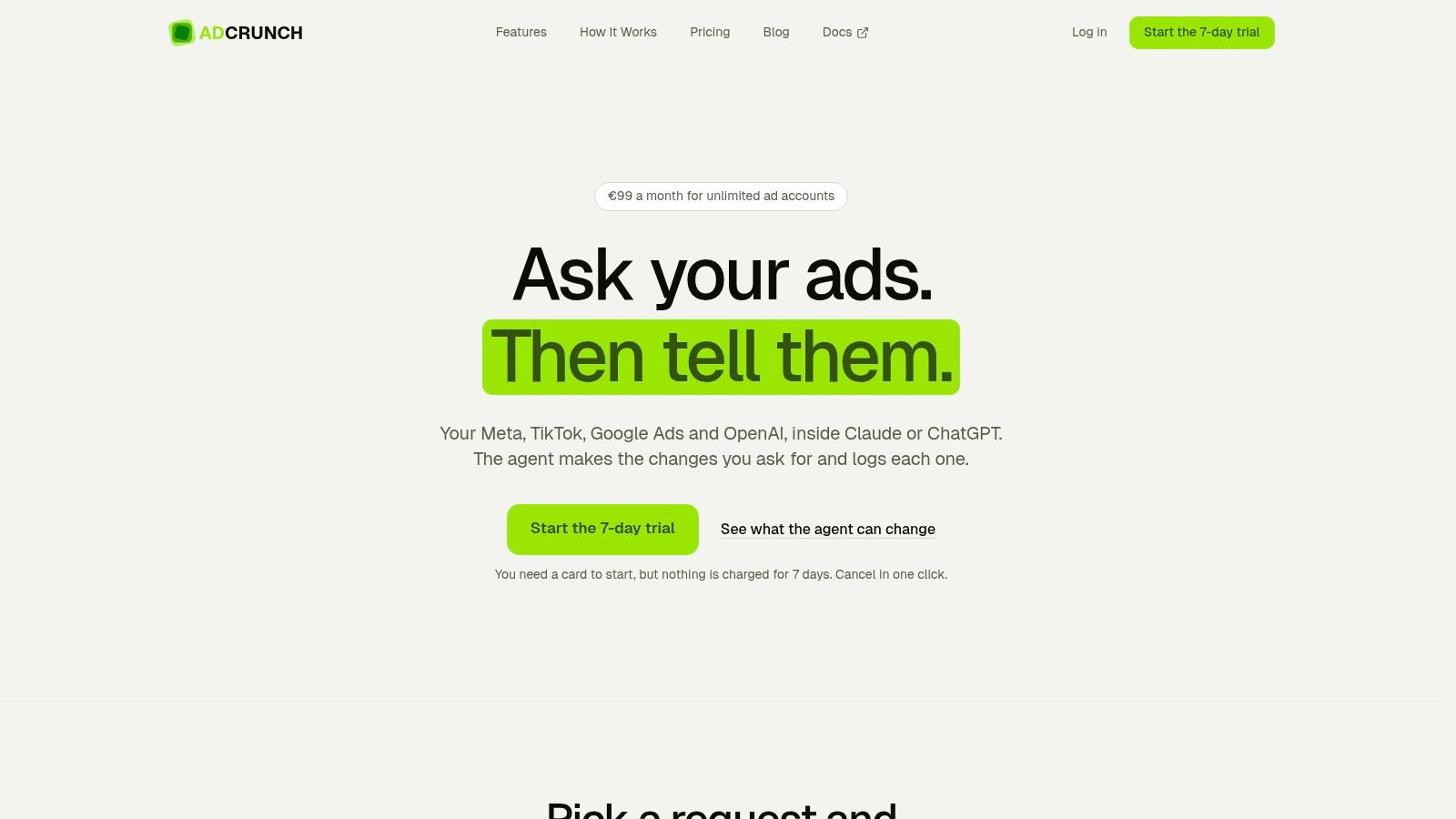
A multi-account team can approve a plan and still lose time during the handoff. Someone must translate channels, budgets, audiences, dates, and line items into platform settings, then show who made each change. AdCrunch addresses that operational gap by connecting Meta, TikTok, and Google Ads with Claude, ChatGPT, Cursor, its built-in Adgent, and a REST API.
Teams can query performance across connected accounts. Meta write actions can create campaigns, ad sets, creatives, and ads, adjust budgets, pause or resume entities, and archive them. The platform therefore covers more than briefing, while the planning record remains tied to the work that follows approval.
Where AdCrunch fits best
Use AdCrunch when the campaign job includes diagnosis, controlled action, and accountability. A Campaign Plan can define the channel mix, budget envelope, audience, dates, and structured line items used as an execution reference. Teams can adapt those fields for each brand, assign ownership before approval, and keep the approved plan connected to the platform handoff instead of relying on manual spreadsheet translation.
Skills and Brands let teams encode operating playbooks and brand guidelines before an agent acts. The Activity page records the account, request origin, change details, and outcome in a permanent audit trail. That record gives agencies a clearer way to review actions across clients and resolve questions about ownership.
The controls limit what automation can do:
- Paused creations: New campaigns, ad sets, creatives, and ads start paused, so a creation does not launch unintentionally.
- Restricted writes: The system does not hard-delete entities, change targeting on existing ad sets, or edit bids.
- Credential separation: AdCrunch stores credentials server-side, keeping connected LLMs from receiving platform tokens.
- Multi-account pricing: The Pro plan costs €99 per month, with unlimited ad accounts and seats, and includes a 7-day free trial. AdCrunch should be checked for current commercial terms.
The trade-off is network coverage. AdCrunch provides write access on Meta, while TikTok and Google Ads are currently used for reading account structure and performance. Teams requiring full write automation across every network may need another operating layer. A single-account advertiser needing only a short brief and launch checklist may also find the setup unnecessary.
Practical rule: Choose AdCrunch when the handoff from an approved plan to a platform change creates the greatest risk of errors, delays, or unclear accountability.
2. Asana for campaign briefing and ownership
Asana’s campaign management templates are a strong fit when the central job is turning a marketing brief into visible work. The structure supports campaign goals, assets, approvals, KPIs, tasks, owners, timelines, and statuses. List, Board, Timeline, Calendar, Portfolio, and status-update views let different stakeholders see the same initiative from different angles.
For a multi-account agency, create a master template with fields for brand, client, market, campaign type, channel, owner, approver, launch date, and reporting deadline. Keep the client or brand as a required field rather than burying it in task descriptions. That makes portfolio-level review more useful and reduces the risk of a task being assigned to the wrong account.
What Asana handles well
Asana is easy to introduce because users understand tasks, due dates, assignees, and status changes without extensive training. Automations can create recurring QA tasks, remind owners about overdue approvals, and standardize the steps that happen before launch. Integrations with Google Workspace, Figma, Dropbox, and similar tools keep creative and documentation links close to the relevant task.
The limitation is important. Asana doesn’t natively buy media or pull ad-platform performance into the campaign plan. You can connect external tools, but the campaign owner still needs a reliable process for copying spend, delivery, and outcome information into the workspace. Advanced portfolio and workload functions also depend on the plan tier.
For agencies, Asana works best as the coordination layer, not the live media console. A campaign task should contain the approved budget, platform naming convention, asset links, and handoff conditions, while the platform remains the source of truth for delivery. Teams comparing this setup with broader automation patterns can also review this guide to marketing automation for agencies.
3. ClickUp for a customizable campaign workspace
ClickUp’s marketing campaign plan template combines Docs, tasks, dashboards, and multiple views in one workspace. It suits teams that don’t want the brief, creative feedback, channel checklist, QA work, and retrospective spread across separate systems.
Start with a campaign Doc for the narrative layer. Put the objective, audience, proposition, message hierarchy, channel rationale, and approval notes there. Then create task templates for each channel, creative format, tracking requirement, and QA step. This separation keeps strategic context readable while giving operators the granular work items they need.
The flexibility comes with administration
ClickUp can model a complex agency structure across workspaces, folders, lists, and tasks. Dashboards can show campaign status, workload, overdue approvals, and launch readiness. Whiteboards and Docs are useful when copywriters, designers, strategists, and media buyers need to develop a campaign together rather than pass a static brief between departments.
ClickUp AI can assist with checklists and briefs, but generated text doesn’t replace ownership or approval rules. A team still needs to define who confirms tracking, who approves creative, who validates budget, and who owns the post-launch review.
The drawback is the learning curve. Many settings and hierarchy choices create flexibility, but they also make poorly designed workspaces harder to work through. Advanced capabilities may require higher paid tiers. For a multi-brand team, resist creating a unique structure for every client. Use a shared campaign template, then add only the fields that support a genuine difference in workflow.
A flexible workspace becomes a governance problem when every account manager designs a different version of the same campaign process.
4. Airtable for structured multi-account data
Airtable’s marketing campaign tracker is best understood as a relational planning system. Instead of putting every campaign detail into one long document, you can link campaigns to tasks, assets, budgets, channels, owners, markets, and KPIs. That structure is valuable when one asset supports several channels or when one campaign operates across multiple brands.
A practical base might include tables for Campaigns, Deliverables, Assets, Channels, Approvals, Budgets, and Reporting. Link each record to a campaign ID and brand. Use a form for intake, a Kanban view for approval status, a Calendar view for launches, and an Interface for executives who need a cleaner summary than the underlying database.
Choose the data model before the views
Airtable’s strength is also its main cost. Teams need to decide how records relate before building attractive interfaces. If the base treats each market, channel, and asset inconsistently, reporting becomes unreliable even if the views look polished. Someone must own field definitions, duplicate prevention, archive rules, and permission design.
Automations can support brief intake, approval notifications, and reporting reminders. Scripting extensions and the API give technical teams room to connect custom workflows. The platform can also support AI-assisted ideation examples within its template ecosystem, but ideation records still need a clear path into approved work.
Paid plans are relevant when teams need more records or advanced capabilities. Airtable is a good choice for an agency that wants to connect many related campaign objects. It isn’t the fastest option for a small team that only needs a one-page brief and a few deadlines.
5. Smartsheet for governance and schedule control
Smartsheet’s campaign plan templates suit teams that prefer a spreadsheet-style grid but need stronger project controls. The familiar rows and columns make it easier for finance, operations, and marketing stakeholders to review budgets, owners, dependencies, dates, and status without learning a highly visual workspace.
Use each row for a deliverable or decision, not for an entire campaign. Add columns for brand, market, channel, owner, approver, dependency, budget status, launch condition, and reporting handoff. Gantt timelines then show whether a delayed creative approval threatens media launch or whether a landing page dependency is still unresolved.
Strong controls, less room for exploration
Smartsheet supports Gantt timelines, dependencies, critical-path planning, resource views, and calendar views. Those tools help governance teams identify capacity conflicts and enforce milestone discipline. Its template gallery also includes marketing calendar options, including Google Sheets-oriented approaches for cross-team visibility.
The trade-off is the interface. Smartsheet is less natural for early-stage message development, workshop exercises, and visual concept mapping than Miro or a collaborative whiteboard. It can also feel heavy for a small team, especially when pricing and seats are evaluated against a simple spreadsheet.
For enterprise marketing, that weight can be a feature. A governance owner can use locked columns, approval workflows, and standardized reports to compare campaigns across markets. For a creative team still deciding what the campaign should say, start elsewhere and bring the approved work into Smartsheet once dates, dependencies, and accountable owners matter.
6. HubSpot for a fast, document-first brief
HubSpot’s marketing campaign template is a useful choice when stakeholders need a clear planning document quickly. Its prompts cover objectives, personas, offers, channels, timelines, and metrics. The structure reduces blank-page friction and gives an agency or in-house team a common document to review before work is assigned.
The document-first approach works well during early alignment. A strategist can define the audience and desired action, a channel lead can explain the mix, and a client can approve the direction without navigating a project-management system. Annual planning and per-campaign views can also help teams use consistent language across initiatives.
Know where the document ends
The limitation is operational. A downloadable template doesn’t automatically track production, approvals, budget movement, or live delivery. Those activities happen in another system unless the team uses HubSpot’s campaign features and builds the required process around them. The template is also lead-gated, so access requires a form submission.
For a multi-account agency, duplicate the document only after adding fields for client, market, owner, approver, asset location, version, launch condition, and reporting destination. Without those fields, the plan may align stakeholders but leave the delivery team with unanswered questions.
HubSpot is particularly suitable when the main job is a concise campaign brief that sales, content, and marketing operations can understand. It isn’t a replacement for a media operations system. Teams considering the next step from planning into performance workflows can read more about performance marketing automation.
7. monday.com for approachable workflow coordination
monday.com’s marketing campaign template gives cross-functional teams a visual board for action items, priorities, timelines, owners, dependencies, and status. Its approachable layout works well when campaign participants include people who don’t work in a project-management system every day.
Build one board around the campaign lifecycle, then use columns for brand, account, channel, task type, owner, approval status, launch date, dependency, and reporting status. Group tasks by campaign or market, depending on whether the team needs to compare brands or follow one launch from brief through post-campaign review.
Keep the board from becoming a client maze
monday.com includes automation recipes for recurring steps and integrations for adjacent tools such as Facebook Ads and Mailchimp. Those connections can reduce repetitive notifications and help teams standardize campaign cadences. They don’t automatically make the board a source of truth for ad delivery, so platform metrics and actual changes still need a controlled reporting process.
Scaling across many brands or markets requires careful board design. A separate board for every client can fragment oversight, while one enormous board can make permissions and ownership confusing. Define which fields are global, which are client-specific, and who can change status or approve launch.
Some integrations and automations are restricted to higher tiers. For a growing team, test the board with one real campaign before committing to a complex architecture. monday.com is strongest as a handoff and coordination layer, particularly when adoption matters more than advanced data modeling.
8. Miro for campaign workshops and narrative alignment
Miro’s marketing templates are designed for the work that happens before tasks are ready. A team can map audience needs, messaging, positioning, channel ideas, launch moments, and dependencies on a shared canvas. That makes Miro particularly useful for kickoff workshops with clients, product teams, creative leads, and channel specialists.
The visual format helps participants see relationships that a task list hides. A campaign team can place audience segments beside message pillars, connect each message to an asset, and then map the intended channel sequence. Frames can separate approved decisions from open questions, while comments preserve feedback without turning the main canvas into a meeting transcript.
Treat the canvas as a decision record
Miro isn’t a task or owner execution system. It can show that a video asset is needed, but it won’t by itself manage production status, media QA, platform permissions, or budget changes. Export a snapshot or move approved decisions into Asana, ClickUp, Airtable, or another operating workspace before launch.
This handoff should include the final audience, message, asset owner, approval state, channel rationale, and launch dependency. Otherwise, the team may leave a productive workshop with an attractive board but no accountable next action.
Miro works best for early creative alignment and stakeholder agreement. It supports hybrid and asynchronous collaboration, while advanced collaboration features may depend on the paid plan. Use it to resolve ambiguity, not to pretend that a visual canvas is a live campaign control system.
9. CoSchedule for publishing-heavy campaigns
CoSchedule’s campaign templates are a natural fit for content and social teams that repeat launches with a strong publishing cadence. Reusable campaign shells can contain tasks, timelines, and publishing items, while the calendar shows how several initiatives overlap.
That makes CoSchedule useful for product announcements, editorial campaigns, promotions, and social-led launches. A team can duplicate a proven structure, change the dates and messages, assign owners, and review the full publishing sequence in one calendar. The repeatability is valuable when the same types of content, approvals, and distribution steps recur.
Separate publishing from paid operations
CoSchedule’s social scheduling and workflow capabilities support the editorial side of a campaign. They don’t make the platform a complete system for complex paid media operations across several networks. Budget allocation, ad-set construction, bid controls, platform QA, and live optimization may still sit in another tool.
Social message limits and advanced capabilities vary by plan, so confirm the current product terms before standardizing a large workflow. Add fields for campaign ID, market, content owner, legal approval, destination URL, tracking status, and paid-media handoff. That prevents the calendar from becoming a publishing silo disconnected from acquisition work.
Handoff test: If a paid media buyer can’t tell which approved asset, URL, audience, and reporting owner belongs to a calendar item, the publishing plan isn’t ready for execution.
For content-heavy teams, CoSchedule is better than a generic project board for seeing publication pressure and channel overlap. For cross-channel paid launches, pair it with a system that governs platform actions and records operational changes. A deeper discussion of executable planning appears in this guide to campaign plans and media plans.
10. Notion for modular briefs and client plans
Notion’s marketing project brief template works well for agencies that want flexible, shareable campaign documentation. Teams can create duplicate-ready pages for briefs, channel plans, asset trackers, meeting notes, and performance reviews. Linked databases can connect those pages to campaigns, tasks, and reporting notes without forcing every client into the same visual layout.
A practical Notion setup starts with a campaign database containing brand, account, market, objective, status, owner, approval state, launch date, and reporting date. Each campaign page can then contain the detailed brief, linked assets, channel decisions, meeting notes, and retrospective. Comments and inline discussions keep revision history close to the decision being reviewed.
Flexibility needs explicit operating rules
Notion has a low barrier to entry, but it isn’t purpose-built for Gantt planning or complex dependencies without add-ons or custom setups. It also lacks native ad-platform connectors, so performance information and live campaign changes arrive through exports, integrations, or manual updates.
That makes Notion excellent for client-facing alignment and reusable documentation, but weaker as the sole execution system for a high-volume media team. Define page ownership, archive rules, approval labels, and the exact moment a plan becomes locked. If those rules are missing, people can keep editing the brief after launch while operators work from an outdated version.
Use Notion when the campaign’s main challenge is keeping context accessible and consistent. Move execution-critical fields into a system that can enforce dependencies, automate work, or govern platform changes.
Campaign Planning Template, Top 10 Tools Comparison
| Product | Core features ✨ | Execution & Network Access | Safety & Compliance ★ | UX & Audience 👥 | Price & Value 💰 |
|---|---|---|---|---|---|
| AdCrunch 🏆 | AI-native ad‑ops, Agents (Claude/ChatGPT/Cursor/Adgent), Campaign Plans, Skills & Brands, Activity log | Full write on Meta (campaigns, ad sets, creatives, budgets, pause/resume); read on TikTok & Google Ads; REST API | ★★★★, creations paused by default; no hard‑deletes, no targeting/bid edits; permanent audit trail; server‑side creds | Unified cross‑network agent workflow; playbook-aligned automation; fast diagnosis→action 👥 Agencies, freelance buyers, in‑house multi‑brand teams | 💰 Pro €99/mo flat (unlimited accounts & seats); Enterprise (SSO, SLA, integrations), cost‑effective at scale |
| Asana | Campaign templates, timelines, automations, multiple views | No native ad‑platform control; relies on integrations | ★★★, task history & approvals, not ad‑safe features | Easy onboarding; stakeholder Portfolios; strong automations 👥 PMs, marketing managers, stakeholder alignment | 💰 Tiered pricing; some advanced features paid |
| ClickUp | Docs + tasks + Dashboards + ClickUp AI for briefs/checklists | No native ad‑platform write; integrations available | ★★★, permissions & activity logs for projects | Highly customizable workspace; steep learning curve 👥 Teams wanting one workspace from brief→retro | 💰 Tiered; powerful but complexity implies onboarding cost |
| Airtable | Relational bases, linked records, automations, API & scripting | No native ad‑platform write; can integrate via API/connectors | ★★★, schema control & automation logs | Flexible DB for multi‑brand structures; extensible with scripts 👥 Data‑centric teams, agencies needing custom workflows | 💰 Tiered; scalable but requires modeling effort |
| Smartsheet | Spreadsheet/Gantt UX, dependencies, resource views | No native ad‑platform write; integration options | ★★★★, enterprise governance, audit & reporting | Familiar grid UX for PMs; strong enterprise controls 👥 Enterprise PMs, governance teams | 💰 Seat‑based pricing; good for governance but heavy for small teams |
| HubSpot (template) | Prescriptive campaign brief template (objectives, personas, channels) | Execution ties to HubSpot campaigns if using platform; otherwise docs only | ★★★, template + document versioning | Clear, prescriptive prompts for alignment 👥 Marketers needing standardized briefs | 💰 Template is free/gated; HubSpot platform has tiered pricing |
| monday.com | Visual boards, automations, templates, integrations | Integrations for ad‑ops adjacent tools; no native write | ★★★, permissions & automation logs | Approachable UI; good for cross‑functional teams 👥 Ops teams, cross‑functional marketing squads | 💰 Tiered; some integrations on higher plans |
| Miro | Visual canvases, templates, async & hybrid collaboration | No execution, ideation & alignment only | ★★, planning artifacts, limited audit for execution | Excellent for kickoff workshops & creative alignment 👥 Creative leads, strategy workshops | 💰 Freemium → paid tiers for advanced collaboration |
| CoSchedule | Reusable campaign shells, calendar, social scheduling | Limited execution for social scheduling; not full paid‑media ops | ★★★, scheduling logs & publishing history | Fast replication for content/social campaigns 👥 Content & social teams | 💰 Tiered; best value for content scheduling workflows |
| Notion | Modular pages, linked databases, templates, commenting | No native ad‑platform write; integrates via exports/APIs | ★★, basic versioning & comments | Flexible, low barrier; easy to templatize client plans 👥 Agencies and small teams needing documentation & trackers | 💰 Affordable entry; paid for team features and advanced permissions |
Choose the Template That Matches Your Handoff
The best campaign planning template isn’t the one with the most fields. It’s the one that matches the next job after planning. A document-first resource such as HubSpot works when the immediate need is stakeholder alignment. A project workspace such as Asana, ClickUp, or monday.com fits repeatable ownership, approvals, and delivery tasks. Airtable suits teams that need linked records across brands, assets, channels, and reporting. Smartsheet is a stronger choice when governance, dependencies, and schedule control matter more than creative exploration.
Use Miro when the campaign still needs a workshop. Use CoSchedule when publishing cadence is the operational center of the launch. Use Notion when clients and internal teams need a flexible source of context. Use AdCrunch when the plan must connect to governed ad operations, particularly for teams managing multiple Meta, TikTok, or Google Ads accounts.
Campaign planning guidance commonly recommends explicit goals, audience definitions, channel choices, budget allocation, owner names, milestone timelines, KPI frameworks, and post-campaign review criteria. A practical digital campaign plan structure reflects that minimum operational checklist. A team should be able to open the plan and answer who is responsible, what must be approved, when the campaign can launch, and where results will be reviewed.
Maturity is another useful lens. Benchmarking templates from Smart Insights describe a five-point maturity scale aligned to the Carnegie Mellon capability maturity model, from unmanaged processes at Level 1 to well-managed processes at Level 5. You don’t need to copy that scale, but you should ask whether your planning process is repeatable, measurable, governed, and coordinated across channels.
The biggest weakness in many templates is what happens after launch. Campaign planning template guidance from Awork highlights a common gap, plans often explain what to include upfront but not how teams should react when live performance diverges from assumptions. A useful template needs decision rules for budget review, creative fatigue, audience saturation, pausing, escalation, and plan updates. Without those rules, the document becomes an archive rather than a living operating system.
Test the template with one real campaign before rolling it across every account. Add the account or brand, objective, owner, channel, asset, approval status, budget, launch condition, and reporting handoff. Then run the actual briefing, review, build, launch, and post-campaign process through it. Note every question that still requires a meeting or private message, and turn the recurring questions into fields, statuses, or explicit ownership.
Fields only work when someone owns them. Approval statuses only work when the team agrees what each status permits. A launch date only matters when the plan records the condition that makes launch safe. For teams that need execution controls, AdCrunch can connect Campaign Plans with paused creations, restricted write scope, and a permanent Activity log. Strategists who need a broader planning reference can also use this guide for campaign strategists while adapting the operational fields to their own accounts and handoffs.
AdCrunch connects campaign planning with governed ad operations across Meta, TikTok, and Google Ads, with write actions on Meta, paused creations, Skills and Brands, synchronized Campaign Plans, and a permanent Activity log. If your current template stops at approval and leaves operators to rebuild the plan manually, visit AdCrunch and test the workflow with a real campaign.