
Marketing Automation for Agencies That Actually Scales
Learn marketing automation for agencies end-to-end — from tool selection to playbooks, compliance and audit trails that scale across clients.
You’re probably living in the same mess I see on most agency teams, one person is waiting on a client approval, someone else is manually updating a sheet, reporting is half-built in one dashboard and half-exported from another, and the media buyer is still jumping between tabs to pause the ads that should’ve been handled yesterday. That’s the point where marketing automation for agencies stops being a convenience and starts looking like operating infrastructure.
The mistake is treating automation like an email shortcut. Agencies that scale well use it to coordinate handoffs, standardize launch logic, keep reporting moving, and make sure the same rules apply across every account. That’s where the category has matured, and why the right setup now matters more than ever.
Table of Contents
- Why Marketing Automation Now Matters for Agencies
- Where Agency Automation Breaks and How to Diagnose It
- Choosing Automation Tools Without Adding More Sprawl
- Designing Playbooks That Agents Can Actually Execute
- Keeping Control With Compliance and Accountability Built In
- Putting It All Together and Scaling What Works
Why Marketing Automation Now Matters for Agencies
A lot of agencies still treat automation like a newsletter sequence builder. That misses how client work runs. The category is much larger now, with one market estimate summary placing the market at $5.3 billion in 2021 and $21.8 billion by 2026. For agencies, the point is not the size alone. The growth reflects a shift toward coordinated ad ops, CRM updates, reporting, and follow-up work that has to stay in sync across accounts.
That shift changes the operating model. Agencies are not just sending more messages, they are keeping multi-account operations aligned when each client has different budgets, channel mixes, approvals, and reporting expectations. Automation becomes the control layer that connects handoffs between media buying, CRM, client communication, and performance tracking. Without it, every account manager builds a different workaround, and the agency pays for the same manual work again and again.

What this looks like in practice
One team uses automation to catch new leads, route them to the right account owner, spin up the campaign plan, and schedule the first report without opening six tools. Another uses it to move budgets, pause weak ads, and log each change for review. The common thread is governed execution, with rules, handoffs, and visibility built in.
Agency adoption reflects that reality. In one agency adoption snapshot, 77% of agencies reported using marketing automation tools, and 76% reported increased demand for AI-driven marketing tools in 2023. Oracle also cites that 63% of organizations expect benefits within 6 months, 44% see a return within that period, and automation can reduce marketing overhead by 12.2%. That is why automation now shows up in operations conversations, not just marketing ones.
For agency ops, the question is whether automation reduces handoffs. If it just adds another queue, another dashboard, or another approval step, it is more work with a nicer interface.
Where Agency Automation Breaks and How to Diagnose It
The failures are usually boring, and that’s why they get missed. Agencies rarely break automation because the idea was wrong. They break it because the data was messy, the integrations were brittle, or nobody had time to maintain what got built. One industry summary cites 45% of firms unable to maximize benefits because of data quality, 43.2% naming missing human resources as a top barrier, and 42%–54% scrapping AI automation initiatives in 2025 because of integration failures and data quality issues (implementation issues summary).
The usual failure pattern
It starts with one client workflow that looks easy. A lead comes in, a task should be created, a follow-up should go out, and the status should update in the reporting view. Then one field is missing, the connector fails, or the team assumes someone else is watching the queue. The result is a broken handoff that looks small until it repeats across accounts.
Another common issue is tool sprawl. Basis found 56% of agencies named inefficient processes as their top problem, 51% said their stack already includes eight or more tools, and 40% manage more than ten tools (Basis summary in the brief). That’s not just clutter, it’s friction. Every extra dashboard creates another place where context can get lost.
How to diagnose before adding more automation
Use the workflow benchmark approach before you buy anything new. Map every handoff for one representative client, time the recurring workload for two weeks, and score the workflow across the seven axes in the 2026 framework. Top-quartile agencies score above 28/35, while the median sits at 19/35 (benchmark report). The same framework says to move one maturity step at a time, because jumping from a low level to a much higher one usually fails inside three months.
That last part is the part many teams ignore. They try to automate the whole stack, then spend the next quarter untangling it. Start by asking where work stalls, who touches it, and which handoff keeps breaking. Then fix that one path before moving to the next.
Diagnostic shortcut: If a workflow needs heroics to survive, it’s not automated enough to be trusted.
What to audit first
- Data quality: Check whether required fields are populated before a workflow triggers.
- Integration points: Look for any step that depends on brittle syncs between disconnected tools.
- Human coverage: Confirm who owns exceptions, approvals, and failed runs when automation stops.
The point isn’t to add more software. It’s to remove the reasons your current software keeps stalling.
Choosing Automation Tools Without Adding More Sprawl
The best stack is usually the one that reduces the number of places your team has to think. Agencies don’t need another shiny dashboard, they need fewer handoffs, cleaner data movement, and clear ownership. A tool should earn its place by covering actual workflows across paid media, reporting, and operations, not by promising to “do everything” and then creating a ninth login.
Agency Automation Tool Evaluation Matrix
| Evaluation Criteria | What to Look For | Why It Matters for Agencies |
|---|---|---|
| Cross-channel coverage | Native support for Meta, TikTok, and Google Ads | It reduces app-switching across the channels agencies touch most often |
| Read and write capability | Ability to act on accounts, not just report on them | Agencies need tools that can move work forward, not only observe it |
| Pricing shape | Flat organization pricing or predictable team pricing | Seat-based or account-based pricing can punish multi-client growth |
| Governance | Approval logic, activity history, and credential isolation | Client trust depends on proving what changed, when, and why |
| Operational fit | Works with CRM, reporting, and ad ops workflows | The tool has to sit inside the process, not next to it |
| Integration shape | Clean connections without one-off custom hacks | Fewer fragile connections means fewer late-night fixes |
| Rollout control | Paused-by-default execution and safe change boundaries | It lowers the risk of accidental spend or unintended live changes |
One useful way to think about this is whether the platform helps you unify work or just visualize it. Reporting-only tools can be helpful, but they don’t solve the gap between diagnosis and action. That’s why some agencies use AdCrunch’s overview of marketing automation tools as a comparison point, especially when they want to distinguish between dashboards and systems that can execute changes.
What tends to work
Tools that fit multi-account agencies usually share a few traits. They let you keep data shape consistent across accounts, they avoid charging in a way that scales painfully with every client, and they give you clear control over who can do what. Flat pricing can be especially useful when you’re managing a long tail of smaller clients and don’t want the software bill to punish growth.
What tends to fail
A tool becomes a liability when it adds another layer of manual checking. If your team still has to copy data into another system, verify the same fields in a second place, and maintain a separate approval process, you haven’t simplified anything. You’ve just moved the work.
Designing Playbooks That Agents Can Actually Execute
Most agencies already have playbooks. They live in Slack threads, account manager memory, and old docs nobody opens. Automation works only when those playbooks become something the system can read before it acts, not after a mistake has already gone live.
Turn tribal knowledge into structure
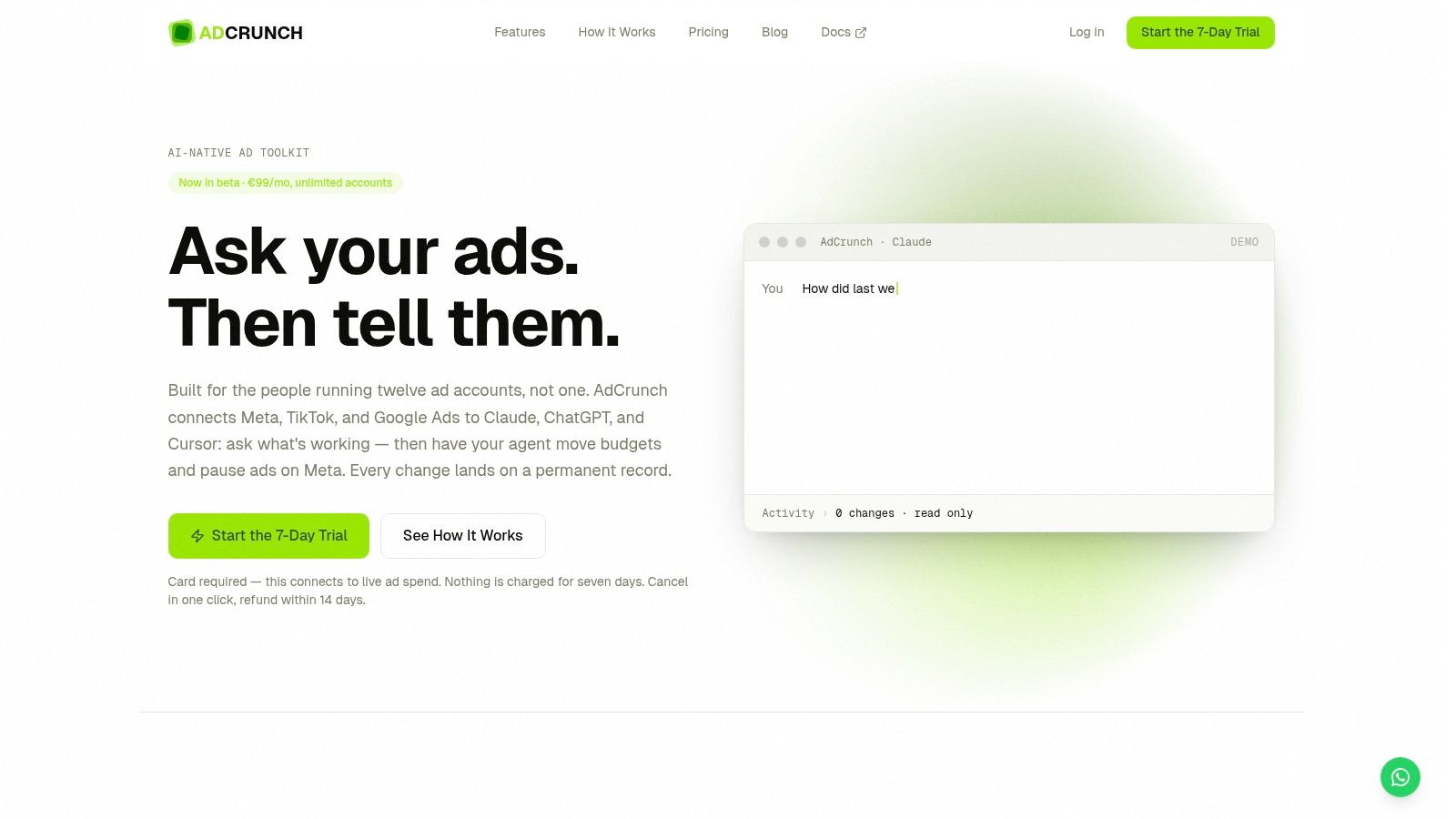
Start with Skills and Brands. A Skill is the repeatable instruction set for how a task should be done, while a Brand holds the rules that make that task safe for a specific client. That keeps automation from improvising. If a media buyer knows a campaign should launch paused, or that a budget should never move without review, that logic belongs in the playbook, not in someone’s head.
Campaign Plans help because they keep planning and launch in the same structured document. Instead of writing a brief in one place and rebuilding it somewhere else, the team can move from line items to execution without rekeying the same intent. If you want a concrete example of how playbooks get encoded for agents, see this guide to AI marketing automation. The less translation you require, the fewer mistakes you make.
A good rollout starts with one representative client. Map the handoffs, time the recurring work, then automate one maturity step first, not the whole process. If your current system still needs manual budget nudges or manual pause checks, encode those before you touch the more complex parts.
Build in the launch sequence
Campaigns should start paused by default. That gives the team room to inspect structure, naming, placements, and budget before spend goes live. It also keeps automation inside your process instead of letting it skip the review step.
A practical launch flow looks like this, in plain order:
- Define the client rule set. Put naming, budget, and approval logic into the Brand.
- Describe the action steps. Use the Skill to define how campaigns, ad sets, creatives, or ads should be assembled.
- Create the plan. Put line items into the Campaign Plan so launch and review sit together.
- Check the account state. Confirm the right account, campaign, and objective before execution.
- Release in a controlled state. Start paused, validate, then activate when the team signs off.
Operational rule: The safest automation is the one that can wait. Paused-by-default execution keeps the agency in control.
If you skip that structure, automation turns into a shortcut instead of a system. Shortcuts break fast once the account mix gets messy.
Keeping Control With Compliance and Accountability Built In
Agencies don’t lose client trust because they automate. They lose it when nobody can explain what changed or why. That’s why governance has to sit inside the workflow, not outside it.
Safety rules that prevent bad surprises
The cleanest safety model is simple. No hard-deletes, no targeting changes to existing ad sets, no bid edits, and anything newly created starts paused. Those guardrails matter because they keep the system from making irreversible or spend-heavy changes before a human reviews the result. They also make it easier for teams to let automation handle repeatable work without feeling like they’ve handed over the steering wheel.
That matters even more when AI is in production. The IAB report says only 30% of agencies, brands, and publishers had fully integrated AI across the media campaign lifecycle in 2025, while half the industry still lacked a strategic roadmap and nearly two-thirds cited data quality, data protection, and fragmentation across tools as top barriers (IAB report). Half of brands also worry about transparency into how agency and publishing partners use AI on their behalf. The message is clear, governance is not a nice extra, it’s part of the product.
Make every change traceable
A permanent Activity log should record the account, the change details, the request origin, and the outcome for every action. That gives account teams a clean audit trail when clients ask what happened on Tuesday afternoon or why a budget shifted. It also helps internal teams review mistakes without guessing.
If the agency can’t show the sequence of actions, the client will assume the process was loose.
Credential isolation matters too. Credentials should stay with the platform and never be exposed to the model itself, so the AI can operate without handling secrets directly. That keeps the structure safer and reduces the number of people or systems that can accidentally create risk.
The governance checklist that holds up in client conversations
- Paused-by-default launches: Nothing goes live until the team reviews it.
- Restricted write scope: The system can act, but only inside defined boundaries.
- Permanent audit trail: Every action is recorded with context and outcome.
- Credential separation: Access stays server-side rather than sitting inside prompts.
- Approval logic: Human review steps stay in place for sensitive changes.
That’s the difference between automation that helps the agency and automation that creates new fire drills. When governance is built in, the team can move faster without losing control.
Putting It All Together and Scaling What Works
Once the workflow is stable, the scaling loop is straightforward. Diagnose one bottleneck, choose a tool that reduces sprawl, encode the playbook into structured rules, and keep control through audit trails and approvals. Then validate the result at 30, 60, and 90 days before adding more automation, because skipping maturity levels is how teams end up rebuilding the same system twice.
The economic logic is why agencies adopted automation early in the first place. Oracle’s figures in the brief point to quicker expected benefits, actual short-term return, and lower overhead, which matches what most operators feel when reporting stops eating so much manual time. Faster reporting and lower labor drag don’t sound glamorous, but they’re the things that protect margin across a big client book.
A simple scaling sequence
Start with one client and one workflow. Pick the handoff that wastes the most time, or the one that fails most often. Build that path cleanly, document it, and only then move to the next account or process.
As the system matures, use the same questions every quarter. Is the stack still unified, or has tool sprawl crept back in? Are the playbooks still current? Can the team prove every action that mattered?
For larger account books, it helps to keep the operating model disciplined. AdCrunch’s large account management process guide fits that mindset because it focuses on repeatable control across many accounts rather than one-off fixes.
Best next move: Automate the one workflow that your team hates most, then measure whether it actually made execution cleaner.
If you’re ready to turn ad ops into a governed system instead of a pile of disconnected tools, AdCrunch gives agencies a way to connect Meta, TikTok, and Google Ads to AI agents, encode playbooks with Skills and Brands, and keep every action in a permanent activity log. Visit AdCrunch for agencies to see how that setup can fit into your own multi-account workflow.