
Ad Management Platform: What It Does and How to Choose
An ad management platform connects your ad accounts, executes campaign changes and logs every action. Compare core capabilities and buyer criteria for 2026.
Many teams shop for an ad management platform by counting how many charts it can render on a home screen, yet a chart has never paused an overspending ad set or lowered a bid. That focus on reporting hides the operational gap in paid media. In a 2024 survey of more than 140 agencies, brands, and publishers by Basis Technologies, 90% of marketing professionals reported using generative AI tools monthly and 70% reported using them weekly, yet many teams still copy numbers out of dashboards and click through native ad managers by hand.
Meanwhile, the money moving through those native accounts keeps climbing. According to Meta’s 2024 annual filing, Meta’s advertising revenue reached $160.633 billion in 2024, up $28.68 billion (or 22%) from $131.948 billion in 2023, driven by both higher impression volume and a higher average price per advertisement. When impressions and ad prices shift every day across multiple networks, separating the reporting layer from the control layer stops being an abstract software distinction. The decisive buying criterion isn’t how many graphs a tool draws. It’s governed execution: clear human approvals paired with a permanent record of every change.
Table of Contents
- What an Ad Management Platform Is and Who Needs One
- Core Capabilities and How to Judge a Platform
- Where Automation Stops and Human Approval Begins
- How a Change Travels From Request to Audit Trail
- How AdCrunch Differs From Dashboards and Traditional Tools
- Decide if AdCrunch Fits Your Ad Operations
What an Ad Management Platform Is and Who Needs One
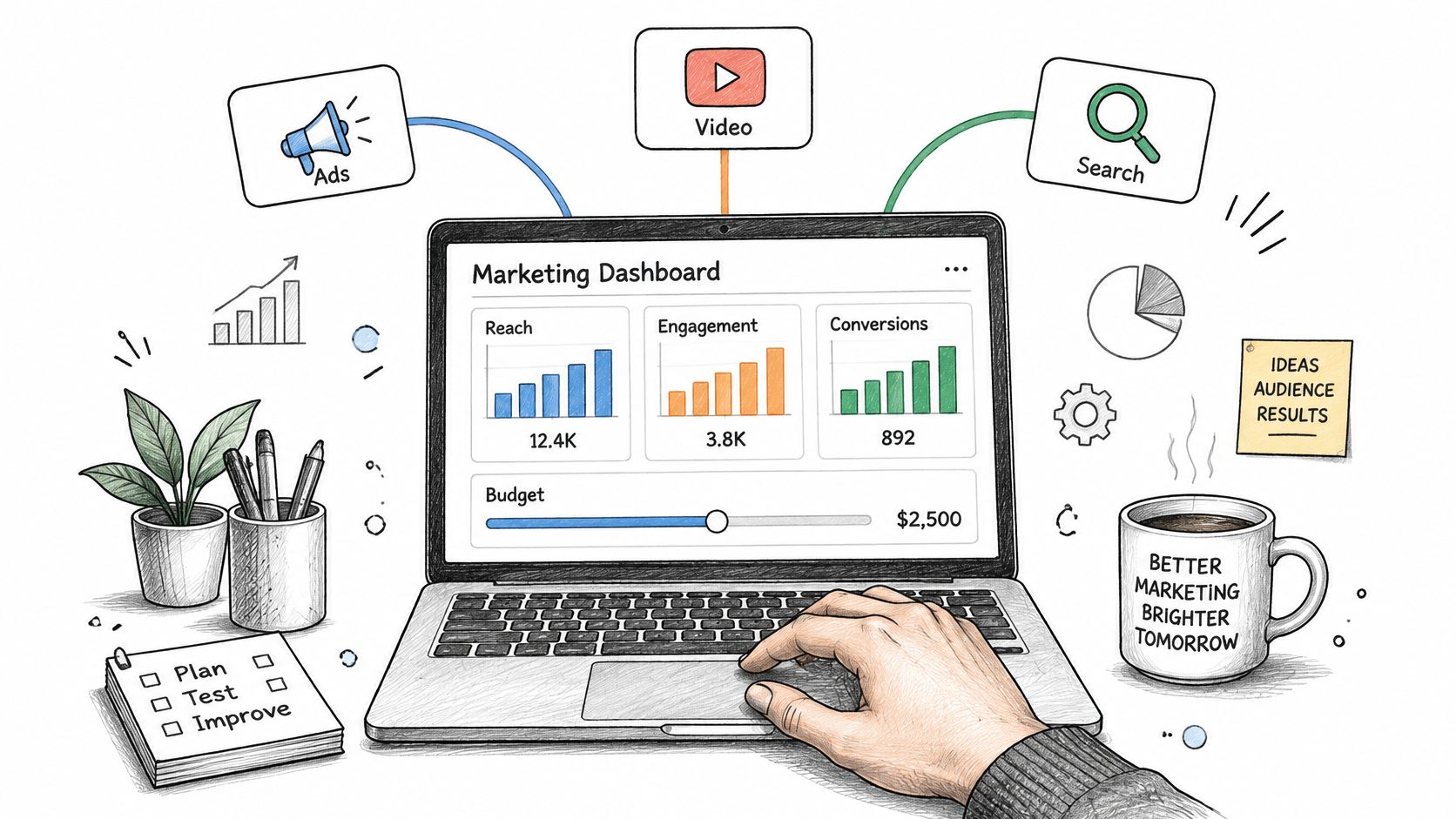
An ad management platform is software that connects ad accounts across multiple networks, reads their performance in one consistent shape, and executes changes to campaigns, budgets, bids, and schedules from one place while recording every edit. A reporting dashboard acts as the scoreboard, whereas an ad management platform acts as the coach’s box because it can call the next play and log who made the call.
This category grew because advertisers rarely spend inside a single walled garden anymore. The Interactive Advertising Bureau and PwC 2024 internet advertising revenue report found that U.S. internet advertising revenue reached $258.6 billion in 2024, a 14.9% year-over-year increase and the highest level recorded since 2021. Search led at $102.9 billion (39.8% of total revenue, up 15.9% from 2023), while social advertising grew 36.7% year over year to $88.8 billion (34.3% of the total). Digital video reached $62.1 billion (up 19.2%), and retail media expanded 23.0% to $53.7 billion.
The global picture shows the same concentration in digital channels. Globally, marketers spent $1.1 trillion on advertising in 2024, with digital channels accounting for 72.7% of worldwide ad investment, according to Meltwater and We Are Social. Operating across search, social, and video at that scale means a buyer can’t treat native interfaces as an organized system of record.
Teams That Rely on Multi-Network Ad Operations
Anyone managing a single ad account on one channel can usually stay inside the native interface. Once account counts or network counts multiply, switching tabs breaks down quickly, and structured ad operations workflows become mandatory. Four groups lean on this software category most heavily:
- Performance marketing agencies: Teams handling dozens of client accounts need isolated permissions, repeatable playbooks, and a client-ready log of every budget move.
- Freelance media buyers: Independent specialists split their week across Meta, TikTok, and Google Ads and can’t afford to spend half their billable hours exporting CSVs or rebuilding naming conventions.
- In-house multi-brand and multi-market teams: Organizations running regional accounts or sibling product lines need one reporting shape alongside strict controls over who can turn spend on.
- Lean e-commerce acquisition teams: Small growth teams managing several storefronts rely on standardized execution so routine pauses, creative uploads, and budget updates don’t wait on extra headcount.
Buyers sorting through the market often start by reading guides that compare media buying platforms from FindClout alongside execution-focused tools. To keep the evaluation grounded, look for four core jobs in every candidate: connect accounts securely, read performance in one shape, execute supported edits directly, and record every action permanently, with human approval acting as the gate on execution.
Core Capabilities and How to Judge a Platform
A platform missing any of the core capabilities below will send your team straight back into the native ad managers to finish the job. Score each requirement as present, partial, or absent across your shortlist before you compare monthly prices.
The five foundational capabilities work together as one loop: secure account connectors, a unified read model, in-platform campaign operations, automation with memory, and approval plus audit logging, backed by API or agent access. Removing one piece breaks the loop. A tool with strong reads and no writes leaves you clicking in native tabs, while a tool with writes and no audit log leaves you unable to answer a client’s basic question about why spend moved.
| Criterion | Why it matters | What good looks like |
|---|---|---|
| Account connectors | Shared logins or passed-through credentials create access risk | One OAuth connection per ad account, minimum or read-only scopes where possible, tokens held by the vendor and never by the model |
| Unified read model | Networks share labels but differ in definitions | Spend, impressions, clicks, conversions, CTR, CPC and ROAS in one shape from ad account down to ad |
| Network coverage | Clients rarely sit on one network | Meta, TikTok and Google Ads through one connection shape |
| Campaign operations | Reporting alone leaves the work where it was | Create, copy, rename, pause, resume and archive; budgets, bids and schedules changed inside the platform |
| Automation with memory | Without stored playbooks and a client brief each request starts from zero | Written brief per client and stored playbooks looked up on each task |
| Approval model | Spend changes need a named person behind them | Confirmation on anything that starts spend or raises a budget, and it cannot be disabled |
| Audit trail | Clients ask who changed what and when | Account, exact change, requester, confirmer and outcome on a permanent record |
| API and agent access | A closed tool cannot be scripted or queried | REST API or MCP endpoint for scripts and AI clients |
| Metric definitions | Attribution windows and modeled conversions differ by network | Definitions, currency and time zone disclosed at account, campaign, ad set and ad level |
| Pricing shape | Per-account and per-seat fees rise as the book grows | A flat fee that does not change when you add a client or a seat |
| Rate-limit handling | A large client book fails in bursts, not one account at a time | Per-account queues, batched reads, backoff with jitter and a state check after each write |
How Connectors and API Rate Limits Hold Up at Scale
Account security starts with how the platform holds tokens. Each ad account should authenticate through its own OAuth connection using read-only scopes or the minimum scopes needed for the job. Just as important, those credentials must stay inside the platform’s backend and never get passed into an AI prompt or model context window.
Once accounts are connected, API throughput becomes the hidden test of engineering quality. A production ad management platform has to treat API limits as an account-scoped scheduling problem, not a single global ceiling. According to Meta’s Marketing API rate-limiting documentation (as of November 2026), Meta enforces quotas at the ad-account level and shares that quota across endpoints under the Ads Management business use case using an hourly formula of 300 calls plus 40 times the number of active ads. Meta also applies real-time throttling on campaign, ad-set, and ad mutations at 100 requests per second per application and ad-account pair.
Google enforces its own structural boundaries. Google Ads API quota best practices (as of November 2026) set daily operation ceilings by developer-token access tier: 2,880 operations per day for Explorer access, 15,000 operations per day for Basic access, and no stated daily limit for Standard access. Independently, a single mutate request can hold at most 10,000 mutate operations, while specialized services impose tighter ceilings such as 1 QPS for the Planning Service and 2,000 conversions per Conversion Upload Service request.
When an automation layer runs parallel jobs across many client accounts without respecting these limits, requests fail in bursts even when total volume looks modest. Look for platforms that implement four technical safeguards:
- Per-account queues and token buckets: Isolate traffic by ad account so one busy client never starves another client’s budget edits.
- Separated reads and batched polling: Keep routine reporting pulls separate from live budget or status mutations, and batch non-urgent reads together.
- Exponential backoff with jitter: Space out retries after a throttle response so stalled jobs don’t hammer the API at the exact same second.
- Idempotency keys and post-write checks: Fingerprint each operation and verify the resulting object state after the call returns, rather than assuming an accepted HTTP response means the ad network applied the change.
Metric Definitions and Cross-Network Comparability
Pulling Meta, TikTok, and Google Ads into one table saves hours of tab switching, yet a unified interface doesn’t create a single mathematical truth. Reporting in Experian’s 2026 advertising trends analysis highlights measurement, identity, privacy, and outcome alignment as central industry challenges as advertisers try to connect planning, activation, and verified results more tightly.
Spend, impressions, clicks, conversions, CTR, CPC, and ROAS share the same column headers across networks, but the rules underneath them diverge sharply. Networks differ on attribution windows, modeled conversions, view-through credit, deduplication logic, account currency, reporting time zone, and the optimization event itself. Teams building or evaluating campaign KPI dashboards for media buyers from Evoproxy still need to check what each platform counts before shifting dollars from one channel to another.
Evaluation check: Ask every vendor which metric definitions are standardized across networks, whether attribution windows, currency, and time zones are disclosed next to the numbers, and when your team should rely on blended reporting or incrementality tests instead of platform-reported ROAS.
Pricing Shape and the Permanent Record
Two commercial details often decide whether a tool survives past its first quarter: how its price scales and how well it documents changes. Per-seat and per-account pricing structures punish growth, raising your monthly software bill every time you onboard a new client or hire another buyer. Percentage-of-spend models create an even steeper penalty when a campaign works and budgets scale up.
A flat fee decouples software cost from client count and headcount. Pair that pricing discipline with a firm audit requirement: every connector should feed a permanent activity record showing the account, exact mutation, requester, confirmer, and final status. Without that record, speed just makes mistakes harder to trace.
Where Automation Stops and Human Approval Begins
Automation in paid media should stay wide open on reading and strictly bounded on writing, with a named person confirming every action that starts spend or raises a budget. Framing the category as a binary choice between manual clicking and unattended autonomy misses the operational reality of managing real client money.
The risk of unguarded automation is already documented across the industry. An IAB and Aymara survey on responsible AI in advertising found that more than 70% of marketers had encountered an AI-related advertising incident, including hallucinations, bias, or off-brand content, while fewer than 35% planned to increase investment in AI governance or brand-integrity oversight over the following 12 months. When adoption outpaces oversight by that margin, the key differentiator isn’t whether an AI tool can edit a campaign. It’s whether the workflow enforces proportional risk controls.
Risk should match the action: an agent that reads performance in seconds shouldn’t commit ad spend without a person signing off on the exact change.
A clean governance model divides every possible ad-account action into three tiers so nobody has to guess where human oversight begins.
| Tier | Actions | Who decides |
|---|---|---|
| 1. No approval | Reads, pauses and budget decreases | Takes effect immediately |
| 2. Human confirmation | Starting spend, raising a budget, archiving, restarting an ended ad set | A person confirms in the console; cannot be switched off |
| 3. Never allowed | Hard deletion of campaigns, ad sets or ads; targeting changes on an existing ad set | Blocked by guardrail |
Tier one covers protective and analytical actions. Pulling live metrics, pausing underperforming ads, or lowering a daily budget reduces financial exposure, so executing those steps immediately saves time without creating runaway spend.
Tier two draws the financial line. Turning a paused campaign on, raising a budget, archiving an object, or restarting an ended ad set changes active delivery or account structure in ways that affect billing and reporting. Requiring a human click in the console guarantees a named approver stands behind every dollar committed, and making that confirmation impossible to turn off prevents teams from disabling safety checks during busy launches.
Tier three eliminates irreversible or silent structural damage. Hard-deleting a campaign wipes operational clarity, and altering targeting on an existing ad set corrupts historical comparisons while shifting delivery to an unintended audience. Blocking both actions outright keeps the guardrail predictable.
Operational Guardrails That Keep Spend Bounded
Understanding native platform mechanics explains why budget caps and scheduling edits still need strict boundaries. According to Meta’s campaign budget documentation (as of November 2026), Advantage+ campaign budgets distribute one overarching budget across ad sets in real time, whereas individual ad-set budgets give buyers tighter per-group control. Meta also notes that daily budgets act as spending targets over a calendar week and warns that a small budget can drain rapidly when a manual bid is relatively high or automatic bidding is active.
Scheduling introduces a second spend lever. Meta’s Ads Manager scheduling guide (as of November 2026) documents both continuous daily delivery and date-bounded schedules, along with budget scheduling that raises budgets temporarily around peak traffic or promotional periods. Under a governed setup for Meta ads automation, a bid or schedule adjustment can raise spend only up to the budget already authorized, while any increase to that budget ceiling still stops at tier two for human confirmation. For any edit that runs, the platform must let you prove who requested it, who approved it, and which guardrail applied.
How a Change Travels From Request to Audit Trail
A governed campaign change moves through seven structured steps, and the permanent audit record is written only after the platform verifies the final state on the ad network. Skipping any step turns routine work into silent drift or unapproved spend.
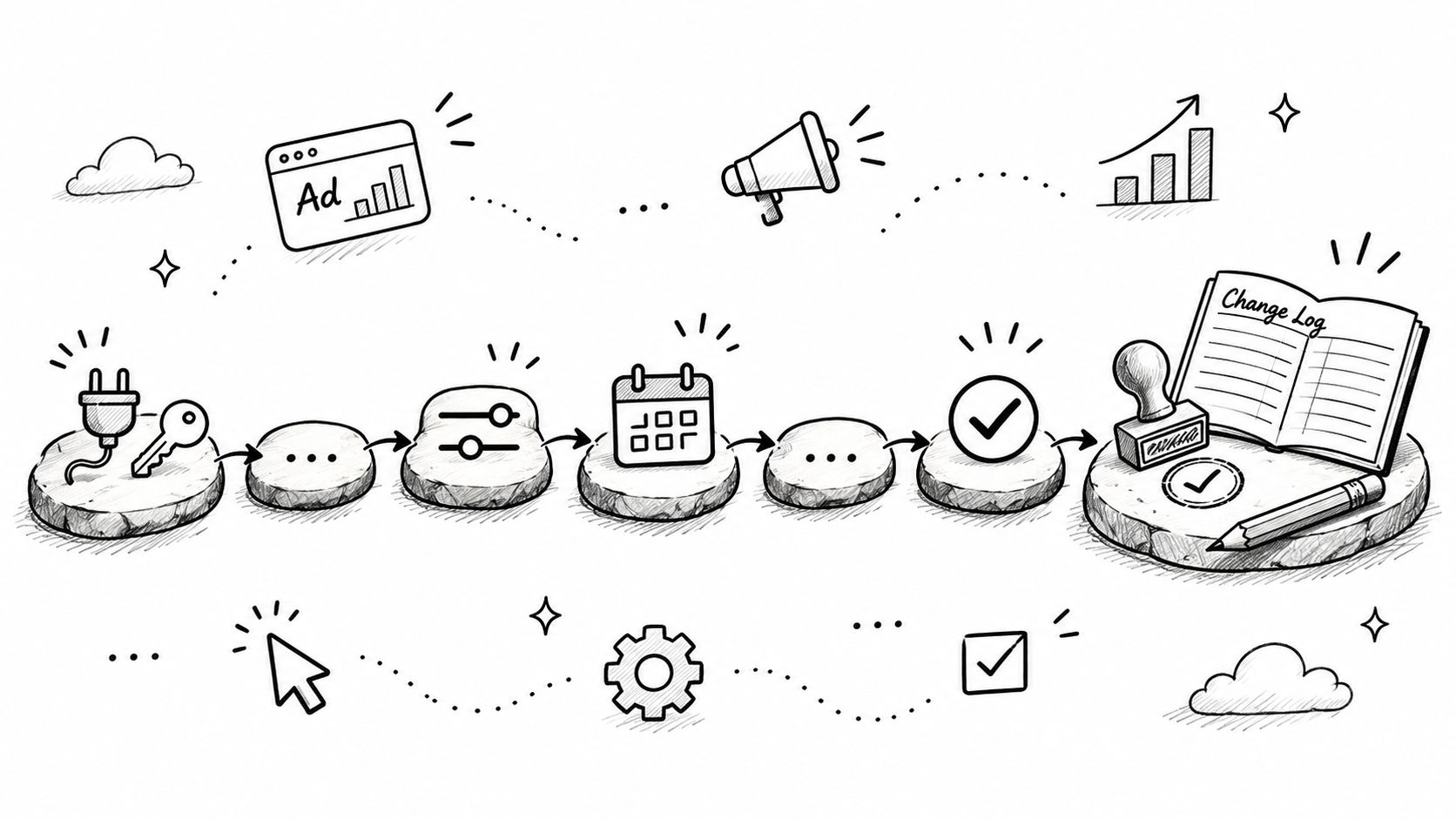
- Connect ad accounts via OAuth. Each client or brand gets its own OAuth connection after you verify the requested scopes. Keeping connections isolated stops permissions from leaking across accounts, and skipping scope review often leaves broad write tokens sitting where read-only access would have been enough.
- Load persistent context once. Store one written brief per client alongside your team’s written playbooks. When a system lacks stored memory, every request starts from zero, forcing buyers to re-explain naming rules, pacing limits, and brand constraints on every prompt.
- Read performance in one unified shape. Pull spend, impressions, clicks, conversions, CTR, CPC, and ROAS from the ad account level down to individual ads before drafting any changes. Decisions made on incomplete exports or mismatched date ranges frequently pause profitable ad sets.
- Plan structured line items. Translate the request into explicit line items and validate parameters before touching the ad network. Validation catches malformed names, missing assets, or out-of-range budgets early instead of failing mid-launch.
- Build or copy assets in a paused state. Every new or copied campaign, ad set, creative, and ad arrives paused so you can preview placements before a cent is spent. Pausing isn’t just a cosmetic label: Meta’s daily spending limit documentation (as of November 2026) explains that delivery pauses when a daily spending limit hits and warns that changing a bid and a budget simultaneously can briefly let the new bid run before the new budget applies, recommending a 15-minute wait before editing the bid.
- Confirm spend-starting changes in the console. Any edit that starts spend, raises a budget, archives an object, or restarts an ended ad set pauses in a confirmation queue until a person approves it. Without this gate, an ambiguous instruction can launch unfinished ads live.
- Verify state and write the audit record. After execution, the platform checks the live object state on the ad network and writes a permanent entry capturing the account, exact change, requester, confirmer, and outcome. Reviewing an ad-account audit trail example shows how cleanly this closes the loop when clients ask for proof of work.
Failure Modes That Break Naive Automation
Even well-planned edits run into API friction. Three edge cases separate production-ready execution layers from fragile scripts:
- Partial batch failures: Large change sets frequently return mixed results, where half the line items succeed and the rest fail validation. Blindly replaying the full batch duplicates the operations that already landed.
- Mid-plan quota exhaustion: Hitting an ad network’s hourly or daily ceiling halfway through a multi-step launch leaves orphaned campaigns behind unless the platform checkpoints progress and resumes only the unexecuted items.
- Rejected changes that require rewriting: A mutation rejected for policy, budget, or parameter errors won’t succeed on a blind retry. The platform must surface the exact rejection reason so the buyer or agent can rewrite the line item, revalidate it, and send it back through confirmation.
Never replay a failed batch verbatim. Record every line item’s individual status, isolate the rejected edits, and fix only what failed.
How AdCrunch Differs From Dashboards and Traditional Tools
A reporting dashboard draws charts, a rule-based automation tool reacts to fixed if-then presets, and an AI-native ad management platform takes a plain-language request and executes it under hard guardrails. That divide determines whether a tool merely informs your team or completes operational work.
| Capability | Reporting dashboard | Rule-based automation tool | AI-native ad management platform |
|---|---|---|---|
| Reads performance across networks | Yes, its main job | Partial read access | Meta, TikTok and Google Ads in one shape, from ad account down to ad |
| Changes budgets, bids and schedules | No | Yes, through presets | Yes on Meta, with a person confirming anything that starts spend or raises a budget |
| Builds campaigns, ad sets and ads | No | Rarely | Yes on Meta, and everything it builds or copies arrives paused |
| Handles a plain-language request | No | No | Yes, through Claude, ChatGPT, the Adgent or any MCP-compatible agent |
| Stores brand briefs and playbooks | No | Sometimes as rule templates | Yes, Brands hold one written brief per client and Skills hold the team’s playbooks |
| Human approval on spend-starting changes | Not applicable | Usually none | Yes, and no organization can switch it off |
| Record of each change | Chart history only | Rule logs | Activity page shows account, change, requester, confirmer and outcome |
| Pricing shape | Often per seat | Often per account | One flat fee with unlimited ad accounts and seats |
| Cannot hard-delete or retarget an existing ad set | Not applicable | Not applicable | Yes, both are stated guardrails |
Governed Execution Across Three Networks
AI agents need two things to do real work on ad accounts: tools that can change the account directly and structured memory, such as a Campaign Plan, to organize line items before anything launches. We built AdCrunch to give agents both.
On Meta, the agent creates campaigns, ad sets, creatives, and ads; copies campaigns and ad sets; creates website, customer-list, and lookalike audiences (which spend nothing on their own); changes budgets, bids, and schedules; and renames, pauses, resumes, and archives objects. On TikTok, it uploads images and videos directly into the ad account library. Across Meta, TikTok, and Google Ads, one connection shape gives buyers unified reads from the ad account down to the individual ad without bouncing between separate tools.
Knowing where platform mechanics end and product guardrails begin keeps expectations realistic. Meta’s Ads Manager budget, bid, and scheduling guide (as of November 2026) confirms that advertisers can adjust ad-set budgets when campaign budget optimization is off, update bid caps through cost controls, and modify schedules, noting that Meta may take about 15 to 20 minutes to recognize a bid change and that delivery depends on how competitive the new bid is for the chosen audience. AdCrunch’s own guardrails sit strictly on top of those mechanics: the agent can’t hard-delete any asset, can’t change targeting on an existing ad set, delivers everything it builds or copies paused, and waits for a human confirmation before any change starts spend or raises a budget.
AI Clients, Stored Memory, and Permanent Records
Instead of locking your team into a proprietary chat window, AdCrunch connects directly to Claude, ChatGPT, the Adgent (the built-in chat agent in the AdCrunch console), and any MCP-compatible agent through an MCP endpoint, alongside a REST API for scripted workflows. Authorizing an AI client grants reads and writes together under AdCrunch’s guardrails while keeping OAuth tokens inside AdCrunch so credentials never touch the model.
Memory stays structured through two built-in objects: Brands hold one written brief per client attached to its ad accounts, and Skills store your organization’s ad-ops playbooks so the agent looks them up automatically when a task calls for them. Every edit to a campaign, ad set, or ad lands on the Activity page, recording the ad account, exact change, requester, confirmer, and whether it succeeded. Paired with a flat monthly pricing model that includes unlimited ad accounts and unlimited seats, adding a new client or team member doesn’t change the software bill.
Decide if AdCrunch Fits Your Ad Operations
If you run more than one ad account and want governed changes executed instead of another reporting dashboard to check, AdCrunch is built for that workflow. Testing it on a single client account is enough to verify whether the approval loop and audit trail match how your team works.
Run this six-step test sequence before moving your full roster over:
- Start the 7-day trial from the website header (a card is required at checkout, and nothing is charged for 7 days).
- Connect one Meta ad account through OAuth.
- Write the Brand brief for that client so the agent has clear rules to reference.
- Ask the agent to pull the last 30 days of performance and propose three budget changes.
- Confirm one proposed change inside the console.
- Open the Activity page and verify the permanent record showing the account, exact change, requester, confirmer, and final status.
Pricing and Fit by Team Type
As of November 2026, the Pro plan costs $99 a month plus tax, flat, with unlimited ad accounts, unlimited seats, a 14-day refund, and support from the person who built AdCrunch. Enterprise uses custom pricing and adds SSO, an SLA, and custom integrations. You can review full plan details on AdCrunch’s pricing page.
AdCrunch is built for agencies, freelance media buyers, and in-house teams at brands. Multi-client shops evaluating permissions and client reporting can see dedicated workflows on AdCrunch for agencies, while multi-brand marketing teams can review operational setups on AdCrunch for in-house teams.
Buying rule: Choose your ad management platform by the changes it can execute safely and the permanent record you can hand a client, not by the number of charts it draws.
AdCrunch connects your Meta, TikTok, and Google Ads accounts to Claude, ChatGPT, the Adgent, and any MCP-compatible agent so your team can read cross-network performance in one shape and execute guarded Meta changes with human approval and a permanent Activity record. Every plan uses flat pricing with unlimited ad accounts and seats, starting with a 7-day trial where nothing is charged for 7 days. Visit AdCrunch to connect a test account and review the workflow yourself.