
How to Post on Both Facebook and Instagram in 2026
Learn how to post on both Facebook and Instagram using Meta tools, mobile workflows, and formatting tips to reach audiences on every platform efficiently.
cross-posting, Facebook, Instagram, Meta Business Suite, social media guide
You’ve just published a product announcement on Facebook, then copied it into Instagram. The image crops differently, the caption feels too long, and someone notices that the Instagram version went live without the campaign link. The post exists on both platforms, but the workflow has created more cleanup than efficiency.
The reliable way to post on both Facebook and Instagram is to use Meta’s linked-account workflow, then decide where the content needs platform-specific editing. Native cross-posting handles distribution. It doesn’t replace editorial judgment. The teams that get the most from it connect their accounts properly, prepare format-safe creative, select destinations before publishing, and keep reporting separate enough to understand what happened.
Table of Contents
- Why Native Cross-Posting Beats Manual Duplication
- Connecting Accounts for Seamless Publishing
- Creating and Scheduling Posts in Meta Business Suite
- Publishing on the Go with Mobile Apps
- Navigating Format and Caption Constraints
- Best Practices for Multi-Platform Success
Why Native Cross-Posting Beats Manual Duplication
A common routine looks harmless. A social manager publishes a Facebook post, copies the caption, downloads or reuses the image, opens Instagram, pastes everything again, and publishes. That routine creates several points of failure: the wrong asset can be uploaded, a hashtag block can be left behind, a link can be omitted, and the two posts can drift apart when somebody edits only one version.
Meta’s native workflow removes much of that repetition. Once a Facebook Page and Instagram professional account are connected, Meta Business Suite and Meta’s account tools let you choose both destinations during content creation. A Facebook post can be shared to Instagram Feed, while an Instagram post can be shared to Facebook Feed. Stories can also be mirrored in supported directions, subject to the format and account combination available in the interface. Meta documents these publishing options in its cross-posting guidance.
Consider a local retailer promoting a weekend collection. With manual duplication, the manager writes the offer twice and risks using different wording. With one composer, the same base asset reaches both audiences from the same publishing action. The manager can still shorten the Instagram caption or replace the creative when needed, but the campaign starts from a controlled source instead of two disconnected uploads.
What native publishing fixes
- Asset consistency: The same approved image or video can be assigned to both destinations.
- Publishing control: The destinations are selected before publication, so the manager can verify where the post will go.
- Scheduling discipline: The team can plan distribution from a shared workspace instead of maintaining separate reminders.
- Fewer duplicate actions: There’s no need to upload the same file twice for every routine post.
Practical rule: Use cross-posting for distribution, not as an excuse to publish an unedited master asset everywhere.
That distinction matters because Facebook and Instagram serve different consumption habits. A launch announcement may work with the same visual foundation, while a community update, link post, or campaign message may need a different opening line and call to action. A useful companion resource on repurposing content for each platform can help your team decide what should stay consistent and what deserves a native version.
Connecting Accounts for Seamless Publishing
Cross-posting only works when Meta recognizes the Facebook Page and Instagram professional account as connected destinations. If the connection is missing, expired, attached to the wrong Page, or blocked by permissions, the composer may not show Instagram as an option at all.
Start by checking the account relationship in Accounts Center or Meta Business Suite. The exact labels can change as Meta updates its products, but the underlying requirement remains stable: the Facebook Page and Instagram professional account must be connected, and Business Suite may require them to sit in the same business portfolio for cross-posting.
A dependable connection check
- Confirm the Facebook identity. Sign in with the profile that has access to the correct Facebook Page. Access to a personal Facebook profile isn’t enough if the intended destination is a business Page.
- Check the Instagram account type. Cross-posting workflows are designed around an Instagram professional account, not an unrelated personal profile.
- Open Accounts Center or Business Suite settings. Look for the connected accounts and verify that the intended Page and Instagram profile appear together.
- Review business-portfolio placement. If Business Suite shows several Pages or Instagram accounts, confirm that the selected pair belongs to the same business portfolio where required.
- Test the composer. Create a draft and check whether both Facebook and Instagram appear as selectable destinations before adding campaign copy.
Meta’s Business Suite connection documentation describes the supported relationships and destination choices. The key point is that a connection isn’t merely a login convenience. It determines which publishing objects Meta can send to each network.
If the Instagram destination doesn’t appear, don’t keep rebuilding the post. Check whether the account was disconnected, whether you’re working in the wrong Page, and whether your user role permits publishing. For teams managing several brands, document the approved Page-account pairing and name accounts clearly. That simple inventory prevents a rushed publisher from selecting a similarly named market or client.
You can also use this walkthrough as a visual reference while reviewing the workspace:
For agencies and larger in-house teams, account linking is only the first governance layer. The person who prepares a draft may not be the person who has permission to publish, and a shared workspace can contain destinations with similar names. A documented multi-account management process should define ownership, approval, localization, and the final destination check.
Creating and Scheduling Posts in Meta Business Suite
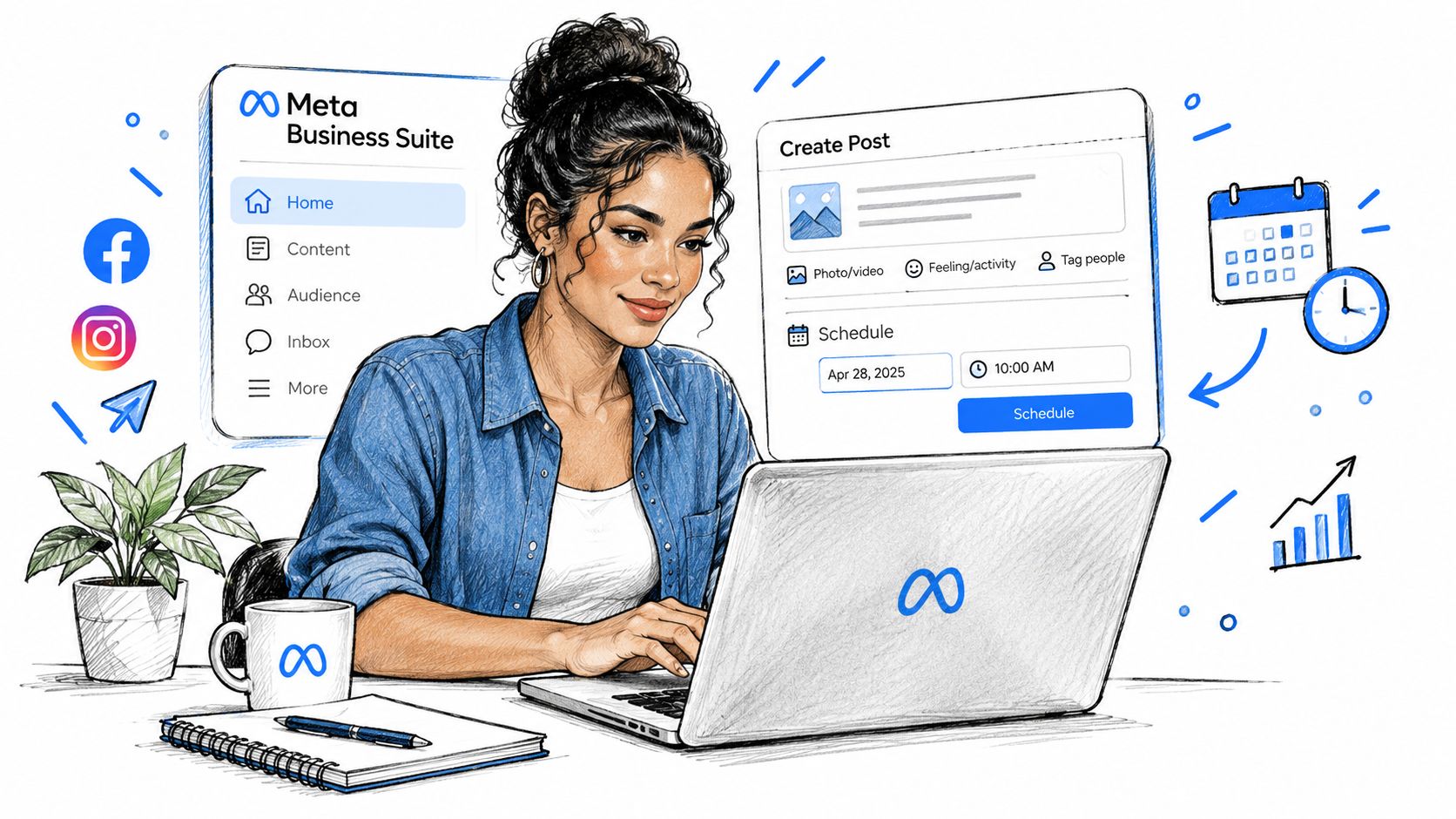
Once the accounts are connected, the publishing process is straightforward, but the destination check still deserves attention. In Meta Business Suite, open the content composer and create a new post. Add the approved image or video, write the base caption, then inspect the Facebook and Instagram destination controls before choosing Publish or Schedule.
The safest sequence is:
- Select the correct brand workspace. Don’t start from a general dashboard if several clients or markets are available.
- Add the creative. Upload the version intended for the selected placements, not the file sitting in a shared downloads folder.
- Choose destinations. Select the Facebook Page and Instagram account explicitly. Never assume a previous selection carries over safely.
- Check each preview. Look for cropping, missing text, awkward line breaks, and unsupported elements.
- Schedule or publish. Use scheduling when the content is planned, and publish immediately only when timing matters.
- Record the decision. For campaign work, note whether the post used a shared asset or platform-specific variants.
Build the post around the destination
A single composer doesn’t mean every field behaves identically on both networks. Facebook may accommodate a longer explanation or a link-led message, while Instagram may need a tighter opening that makes sense before a user expands the caption. If the composer flags an unsupported combination, treat that as an editorial signal, not just a technical nuisance.
Meta Business Suite can also publish one post to multiple Pages and Instagram accounts when the connected accounts and permissions support it. That convenience creates risk at scale. Before scheduling, filter the destination list down to the accounts that truly belong to the campaign. A multi-market announcement shouldn’t reach every regional Page merely because they’re available in the same workspace.
Schedule with a review window
Scheduling is most reliable when the post goes through a short approval routine before the final click. Review the image, caption, destinations, timing, and any legal or localization requirements. Teams looking for a complementary reference can use these Facebook post scheduling tips, but the same operational principle applies here: scheduling should reduce last-minute work, not hide mistakes until publication.
Keep a fallback plan for formats that don’t transfer cleanly. If a Reel, Story, link post, or video behaves differently across the two platforms, create separate versions rather than forcing the shared composer to accept an unsuitable asset. Cross-posting works best for repeatable, low-friction content. High-value campaign posts deserve a preview on each destination and, when necessary, separate publishing actions.
Publishing on the Go with Mobile Apps
Mobile publishing is useful when the content is tied to a live moment, such as an event update, a product arrival, or a timely community announcement. In the Instagram app, prepare the post or Story, review the sharing options, and enable the connected Facebook destination when it’s available for that content type. In the Facebook app, use the Page publishing flow and check whether Instagram is offered as a destination before publishing.
The important difference is visibility of the final toggle. Mobile interfaces often compress the workflow into a few screens, so a post can look ready while the second destination remains unselected. Pause at the sharing screen and confirm the account names, not just the platform icons.
Facebook versus Instagram on mobile
Instagram is usually the better starting point for visual-first content, particularly when the creative was designed as a Feed post, carousel, Reel, or Story. Facebook is more flexible for text-heavy updates, link-led posts, and formats that depend on a longer explanation. The same image can be attached to both, but the caption and destination options may not match.
Use the app for speed, not for complex governance. If several Pages, markets, or client accounts are involved, Business Suite on desktop gives you a clearer view of the selected destinations and scheduled queue. Mobile is appropriate for a controlled, single-account post. It’s a poor place to make a rushed decision across a crowded account list.
Check the account name, destination, and preview before tapping publish. The extra moment is cheaper than correcting a post sent to the wrong brand.
Navigating Format and Caption Constraints
Cross-posting breaks when teams treat Facebook and Instagram as identical publishing surfaces. They share Meta’s ecosystem, but their content rules remain distinct.
The most obvious difference is copy length. Instagram captions are capped at 2,200 characters, while Facebook posts allow up to 63,206 characters, as summarized in Sprout Social’s cross-posting comparison. A long Facebook announcement can therefore require a real rewrite before it belongs on Instagram. Cutting random sentences at the end usually produces a weak caption. Rewrite the opening, preserve the essential context, and move supporting detail to a destination that can carry it.
Media needs the same treatment. Facebook supports text, images, feed video, Reels, and link posts, while Instagram supports images, carousels, Reels, and Stories. The supported video ceilings also differ. Facebook feed video can run up to 45 minutes, Facebook Reels up to 90 seconds, and Instagram Reels up to 15 minutes, according to the same comparison. Those limits are not a reason to stretch every video to the maximum. They’re a warning that one file may not be suitable for both placements.
Build a format decision before publishing
| Content situation | Shared post may work | Separate variants are safer |
|---|---|---|
| Simple announcement with a clean visual | Yes, if both previews look correct | When the message needs different calls to action |
| Product image | Sometimes | When the crop removes important packaging or text |
| Long Facebook explanation | Rarely without editing | When Instagram needs a shorter, visual-first caption |
| Video or Reel | Only after checking limits and placement | When duration, framing, or overlays differ |
| Story content | For quick, compatible updates | When stickers, links, or interactive elements need platform-specific handling |
Aspect ratio causes many quiet failures. A wide-format image that reads well in a Facebook feed may leave an Instagram composition looking cramped or overly small. The industry guidance at Multiple Group Poster highlights practical export variants such as 1200×628 wide, 1080×1080 square, and 1080×1920 vertical formats. Prepare the appropriate versions before scheduling instead of expecting the platform to rescue a poor crop.
Creative organization helps here. A team that keeps approved Facebook, Instagram Feed, and vertical Story or Reel variants in a shared asset system can make a destination decision quickly. For a workflow built around reusable creative files, see Bring Your Own Creative.
Treat metrics as a separate risk
Cross-posted content can also confuse reporting. Instagram’s API now aggregates views, reactions, and comments from cross-posted Facebook content into total metrics, as described in Brandwatch’s documentation on cross-posted Facebook data. If your team assumes each platform’s totals represent isolated activity, the comparison can become misleading.
Label shared posts in your reporting system. Record which platform originated the content, whether it was mirrored, and whether engagement came from the other surface. Otherwise, a single campaign may look stronger on Instagram or Facebook than it actually was for that audience.
Best Practices for Multi-Platform Success
Start with a shared content idea, then adapt the execution. Cross-posting should make routine distribution easier, not force every campaign into the same template.
Use this operating checklist:
- Write the first line for the reader: Facebook can support a longer setup, while Instagram often benefits from a sharper visual hook.
- Prepare creative variants early: Keep feed, square, and vertical exports available when the design includes text, products, or people near the frame edges.
- Review destinations every time: This matters most when your Business Suite workspace contains multiple Pages or regional Instagram accounts.
- Separate shared from native content: Mark mirrored posts in the calendar so reporting and follow-up comments remain clear.
- Schedule predictable content: Use the composer for planned announcements, then reserve mobile publishing for timely updates that need immediate context.
- Localize before publishing: A shared campaign concept can still need different language, offer details, compliance wording, or calls to action by market.
- Audit permissions: Define who can draft, approve, publish, and edit for each brand account.
Don’t cross-post by default when the campaign has different funnel stages on each network. A Facebook post designed to drive discussion may need a different Instagram treatment focused on saves, profile visits, or visual discovery. The same applies to local markets. If the audience, offer, or approval requirement changes, use separate variants.
For paid campaigns and broader account operations, Meta ads automation is a separate workflow from organic cross-posting, but the governance lesson is similar. Teams need clear account ownership, controlled actions, and records that show what changed and where.
AdCrunch is an AI-native operations toolkit for teams managing advertising accounts across Meta, TikTok, and Google Ads. It connects those accounts to agents in Claude, ChatGPT, and Cursor, supports controlled write actions on Meta, and records changes in a permanent activity log. That can complement a social publishing process when the same organization needs tighter coordination between organic content, paid distribution, permissions, and audit records.
If your team is losing time to duplicate uploads, wrong destinations, or unclear cross-posted metrics, review the Facebook and Instagram account connections first, then create a destination checklist for every scheduled post. Visit AdCrunch to see how its controlled, logged ad operations can support multi-account teams managing Meta activity alongside their broader marketing workflow.