
E Commerce Ads Guide for 2026: Platforms and Budgets
Learn how E Commerce Ads work in 2026: choose the right platform, build product feeds, pick winning creatives, track conversions and split your budget wisely.

You’ve connected your store, uploaded product photos, and opened an ad account. The platform recommends a budget, your dashboard promises more sales, and you’re trying to decide whether to press Publish.
The harder question isn’t whether e commerce ads can bring orders. It’s whether those orders leave you with profit you wouldn’t have earned without the ads. Start with a small test, keep new campaigns paused until you’ve checked them, and treat platform reports as evidence to investigate, not permission to spend more.
Table of Contents
- Where E-Commerce Ads Run and Which Platform to Start With
- How a Product Feed Powers Every Ad
- Creative Types That Earn Clicks and Sales
- Conversion Tracking and the Numbers That Matter
- Catalog Ads, Prospecting and Budget Split
- Launch a Four-Week Test Before Scaling
Where E-Commerce Ads Run and Which Platform to Start With
Start with a single platform, chosen by where your buyers already search or browse. Add another only when you can track purchases reliably and explain why your existing campaigns deserve their budget.
The opportunity is substantial: Forrester reports that global retail e-commerce sales reached approximately $4.4 trillion in 2023, when online purchases represented about 20% of global retail sales. That’s a large market, but your starting point should still be your customer’s buying behavior, not the size of a platform.
Main e-commerce ad platforms and what each needs
| Platform | Best for | Main ad formats | Setup needed first |
|---|---|---|---|
| Google Shopping and Performance Max | Shoppers already searching for a product | Product listings, search, YouTube, Display | Product feed in Google Merchant Center |
| Meta (Facebook and Instagram) | Visual products and creating demand | Image, video, carousel, Reels | Product catalog plus Meta Pixel and Conversions API |
| TikTok Ads | Short-video-led products and younger buyers | In-feed video, Spark ads, Shop ads | TikTok Pixel and product catalog |
| Amazon Ads | Brands already selling on Amazon | Sponsored Products, Sponsored Brands, Sponsored Display | Active Amazon seller or vendor account |
| Retail media networks, such as Walmart Connect and Instacart | Brands stocked in large retailers | Onsite search and display placements | Retailer partner account and sales data access |
Match the platform to the buying moment
Google Shopping suits a shopper who already knows what they need. Someone searching for a replacement coffee-machine filter has a different need from someone casually browsing Instagram. Performance Max is Google’s automated campaign type that can distribute ads across multiple Google properties, so don’t mistake it for search-only advertising.
Meta and TikTok give you room to demonstrate something people weren’t actively looking for. A folding laundry basket, for example, might need a visual demonstration before the buyer understands its value. TikTok deserves consideration when your customers use it and you can produce convincing short videos, not just because your product targets younger people.
Amazon and retailer networks belong closer to the purchase environment. They’re relevant when shoppers can buy your products through those businesses.
Understand the setup language
A product catalog holds your merchandise information. A pixel is website code that sends visitor actions to an advertising platform, while a Conversions API sends events through a server connection.
These components support different campaign formats; not every campaign needs every component. Before choosing, use Keywordme’s guide to compare ecommerce advertising channels against your products and available creative.
Practical rule: Choose the platform where you can explain both why someone would buy and how you’ll verify the purchase.
How a Product Feed Powers Every Ad
A product feed is the menu board your advertising platform reads. For shopping listings and catalog ads, it tells the platform what you sell, what it costs, and whether someone can buy it.
Think of the relationship like a shopkeeper updating a menu before opening.
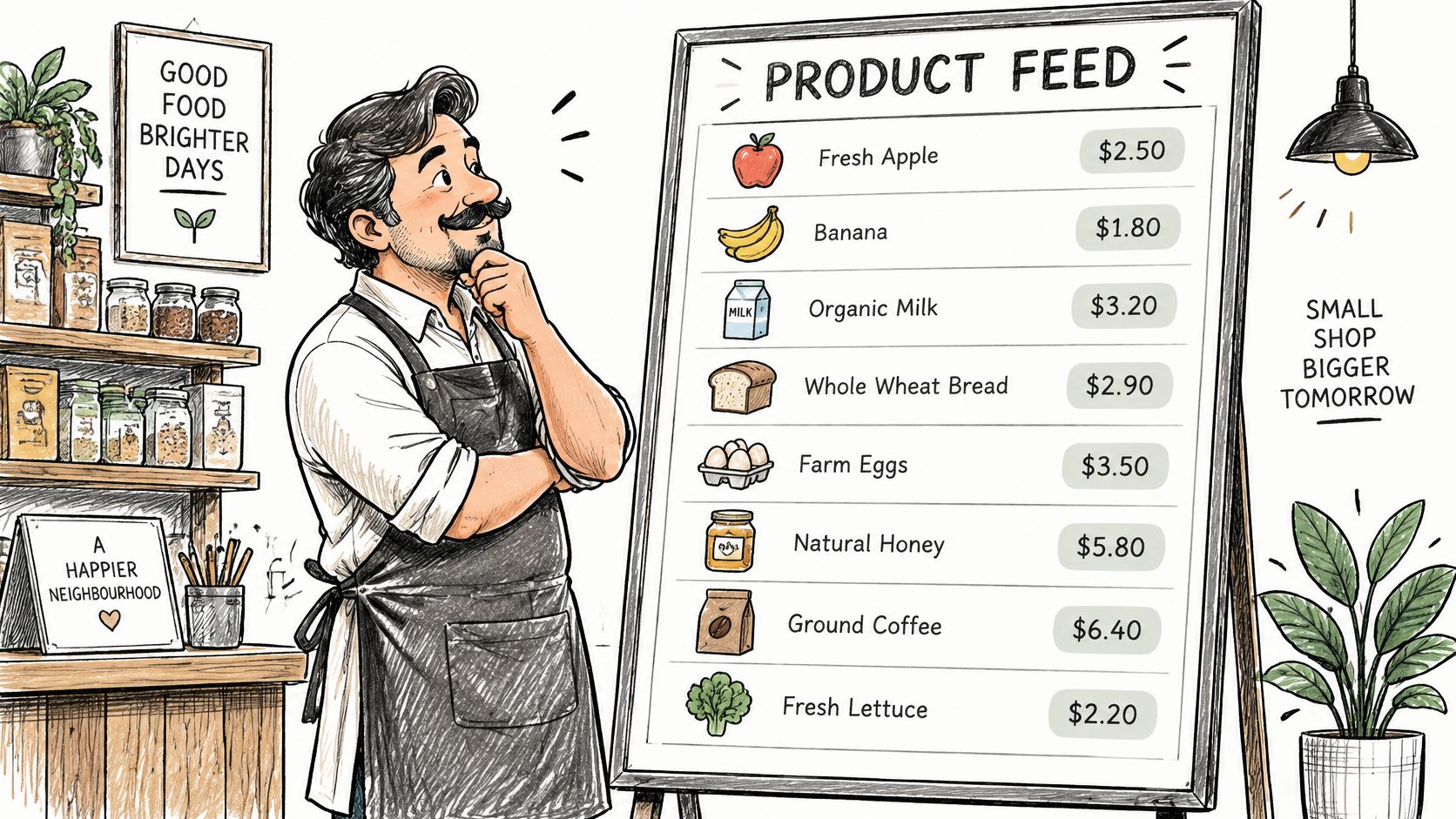
The feed is usually a spreadsheet, a CSV file containing separated values, an XML file containing structured product information, or an automated store connection. Each product or variant needs a stable product ID, title, description, price, availability, image address, and product-page address.
Fix the errors shoppers will notice
- Mismatched prices: Check that sale prices and currencies agree with the live product page.
- Unusable images: Replace missing, blurry, or misleading pictures with clear views of the actual item.
- Stale availability: Refresh stock status so shoppers aren’t sent to unavailable products.
Matching product IDs across your feed and purchase events lets you connect advertised items with ordered items. Keep currency, order value, and transaction times consistent too, but remember that connecting records doesn’t prove the ad caused the sale.
The IAB/PwC Internet Advertising Revenue Report recorded $63.4 billion in U.S. commerce-media advertising revenue in 2025, illustrating the scale of advertising built close to retailer transaction systems.
For Google-specific planning, combine Silver Spoon Agency’s Performance Max insights with our guide to e-commerce paid search.
Use the video as a companion to your setup checks.
Before launching, sample products from different categories and variants. Compare each feed entry with its live page and fix every mismatch.
Creative Types That Earn Clicks and Sales
Treat the opening moment of an ad as the reason someone either watches or scrolls. Show the product, the problem, or the result immediately rather than making viewers sit through a logo animation.
Creative means the image, video, words, and presentation a shopper sees. Choose the format around what the buyer needs to understand.
Creative formats and where they perform
| Format | Aspect ratio | Best placement | Use when |
|---|---|---|---|
| Square image | Equal width and height | Feed placements on Meta and Google | The product itself is the hero |
| Vertical video | Full-height portrait | TikTok, Instagram Reels, Stories | Showing the product in use or a quick demo |
| Carousel | Square or portrait cards | Meta feed | Several products or features belong in one ad |
| Catalog product tile | Set by the feed and placement | Retargeting placements | Reminding a visitor of a product they viewed |
| UGC-style short video | Portrait for mobile placements | TikTok and Meta | Building trust with people who have never bought |
A square image might show a ceramic mug clearly against a contrasting background. The photograph should answer basic questions about shape, finish, and size without requiring someone to read a paragraph.
A vertical demonstration could show a skincare product’s texture and application. Keep claims accurate; editing, lighting, and unsupported before-and-after promises shouldn’t do the selling.
Give each format a clear job
A carousel, an ad containing swipeable cards, can walk buyers through a travel bag’s compartments. Each card should contribute something different rather than repeat the same photograph.
A catalog tile can remind a visitor about the exact lamp they inspected. Retargeting means advertising to people who have already interacted with your store.
User-generated-content-style video, often shortened to UGC-style video, looks like a customer explanation or review. A person demonstrating how a lunch container fits into their bag can answer practical objections, but paid performances shouldn’t pretend to be independent customer testimonials.
Test different reasons to buy, not just different colors around the same message.
For a useful comparison, change the opening hook while keeping the product and offer consistent. Then test another variable separately. If you change the audience, discount, video, and landing page together, you won’t know which change mattered.
Judge creative by the purchases and contribution it supports, not merely by how many people click.
Conversion Tracking and the Numbers That Matter
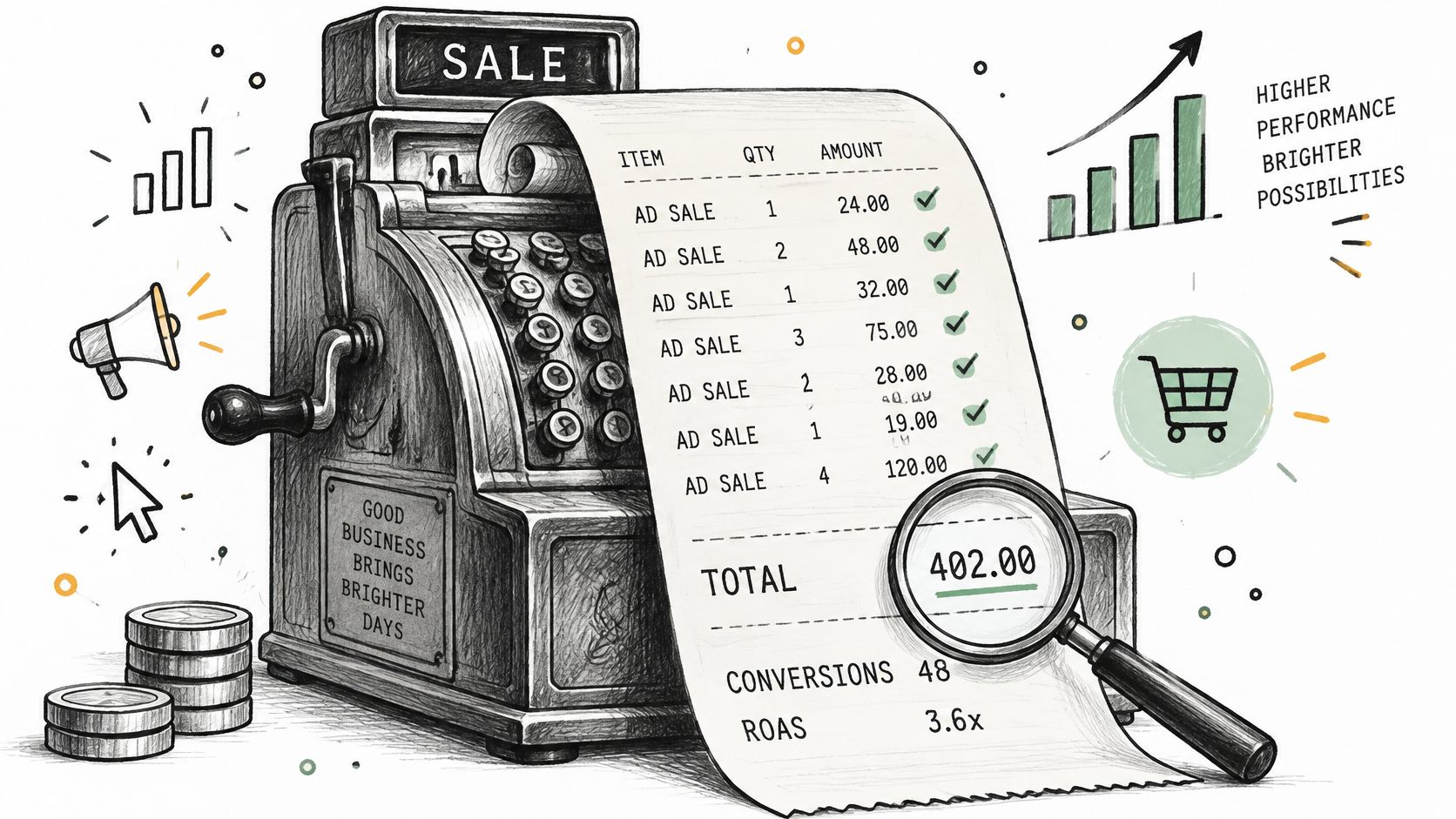
A platform report can resemble a till receipt with the advertising platform’s name stamped beside the sale. The purchase may be real, but the stamp doesn’t prove the customer needed the ad to buy.
Attribution is the rule a platform uses to assign credit for a purchase. Different platforms can assign credit to the same order.
Keep that distinction visible when you read your reports.
Make the records usable first
Install the tracking relevant to your chosen platform: Meta Pixel with Conversions API, Google tag, or TikTok Pixel. Send purchase events containing order value, currency, and product IDs, with the appropriate consent controls.
When browser and server connections report the same purchase, use matching event identifiers for deduplication, which prevents duplicate counting. Our Conversions API gateway guide explains the server-side connection.
Reconcile platform-reported purchases with your store’s order records regularly. Investigate discrepancies by checking time zones, refunds, duplicate events, and attribution windows, the periods during which a platform can claim credit.
Key e-commerce ad metrics and their blind spots
| Metric | What it measures | Blind spot |
|---|---|---|
| Return on ad spend (ROAS) | Platform-credited revenue divided by ad spend | Can include sales customers would have made anyway |
| Cost per acquisition (CPA) | Ad spend divided by purchases | Ignores order value and margin |
| Contribution margin after ads | Revenue left after variable costs and ad spend | Needs accurate store cost data and doesn’t deduct all fixed overhead |
| New-customer rate | Share of buyers who are new to the store | Needs consistent customer identification |
| Incremental sales | Extra sales caused by ads, estimated through controlled comparisons | Needs enough sales volume and a suitable test period |
Require evidence before moving money
Measured’s advertising measurement guide recommends combining incrementality tests, marketing-mix modeling, and platform attribution rather than relying on platform reports alone. Incrementality asks what happened because of advertising; marketing-mix modeling estimates channel contributions using broader business and spending patterns.
A holdout test withholds ads from a randomly assigned eligible group while another group remains eligible to see them. Compare outcomes over a preselected period, accounting for normal differences and uncertainty. A small store may not have enough purchases for a clear answer quickly.
A lower reported ROAS can accompany healthier growth if the ads bring genuinely additional buyers. High ROAS can instead reflect customers who were already going to purchase.
Check spending and tracking health daily. Review acquisition cost and contribution weekly, but judge causal impact only when the test has enough evidence.
Catalog Ads, Prospecting and Budget Split
Split your budget by the job each campaign must do, not by whichever campaign displays the most flattering return. Keep room for attracting new buyers, recovering interested visitors, and testing a different message.
The total comes first: decide what you can afford to lose while learning. Don’t use a platform’s suggested spend as your financial plan.
Calculate what a purchase can support
Start with contribution before ads, the revenue remaining after product costs, payment fees, fulfillment, shipping subsidies, and expected returns. Subtract the contribution you want to retain. What remains is your allowable acquisition cost for an additional order.
Use realistic costs from your store. A campaign that sells discounted products with expensive delivery may leave less money than a campaign with fewer, higher-margin orders.
If repeat purchases matter, separate expected future contribution from contribution you’ve already earned. Don’t fund today’s advertising with optimistic assumptions about customers returning.
Assign spending by purpose
Prospecting reaches potential customers who haven’t bought from you. Catalog retargeting addresses people who have already shown interest, although catalog ads can also serve prospecting campaigns.
Warm audiences can look efficient because shoppers are already close to buying. Giving them all the money risks paying repeatedly for existing demand while neglecting future customers.
Starting budget split for a new e-commerce store
| Campaign type | Starting share | Purpose | Review cadence |
|---|---|---|---|
| Catalog retargeting | Limited to what the eligible audience can support | Recover warm visitors and cart abandoners | Weekly |
| Prospecting with proven creatives | Main allocation once messages show purchase potential | Reach new buyers | Weekly |
| Creative tests | A separately capped learning allowance | Find the next useful ad concepts | At the end of the agreed test period |
| Brand and search capture | A small reserve only where branded demand exists | Capture searches for your store | Monthly |
This is a decision framework, not a universal percentage split. A newly opened store may have almost nobody to retarget and little branded search demand. In that case, leave those allocations unspent rather than forcing money into tiny audiences.
Separate creative production costs from media spend as well. Paying someone to film demonstrations and paying a platform to distribute them are different expenses, even when both support the same test.
Budget safeguard: Don’t increase a campaign’s allowance until you know whether the next stretch of spending can produce additional contribution.
Protect the learning period
Choose a review period before launching, allowing for the time customers take between clicking and purchasing. Keep the offer, product availability, and measurement setup consistent enough to make comparisons useful.
Don’t react to a strong afternoon by sharply raising the budget. Make a bounded change, document it, and wait for the resulting purchases and costs to become observable before changing it again.
Competition deserves attention, but it isn’t a return forecast. The IAB’s advertising outlook projected 15.6% U.S. retail-media advertising growth in 2025, compared with 7.3% for overall U.S. advertising spending. Those spending projections don’t establish what your campaign should earn.
Use ad budget optimization guardrails to set spending limits and review conditions before you need them. Keep automated adjustments disabled until someone has checked their scope and consequences.
Diagnose before reallocating
Clicks without purchases don’t automatically mean the audience is wrong. Check whether the ad promises something the product page fails to deliver, whether shipping charges appear unexpectedly, and whether mobile checkout works.
For marketplace products, listing quality is part of the same diagnosis. Next Point Digital’s guidance can help you improve listings before scaling Amazon ads rather than paying to send more shoppers to an unclear offer.
Also examine returns and product mix. If extra spending mainly sells items with little contribution, rising revenue can conceal a worsening result.
Move money only when the full review period supports the change. If tracking breaks or inventory disappears, repair the underlying problem before treating a dashboard decline as evidence against the campaign.
Launch a Four-Week Test Before Scaling
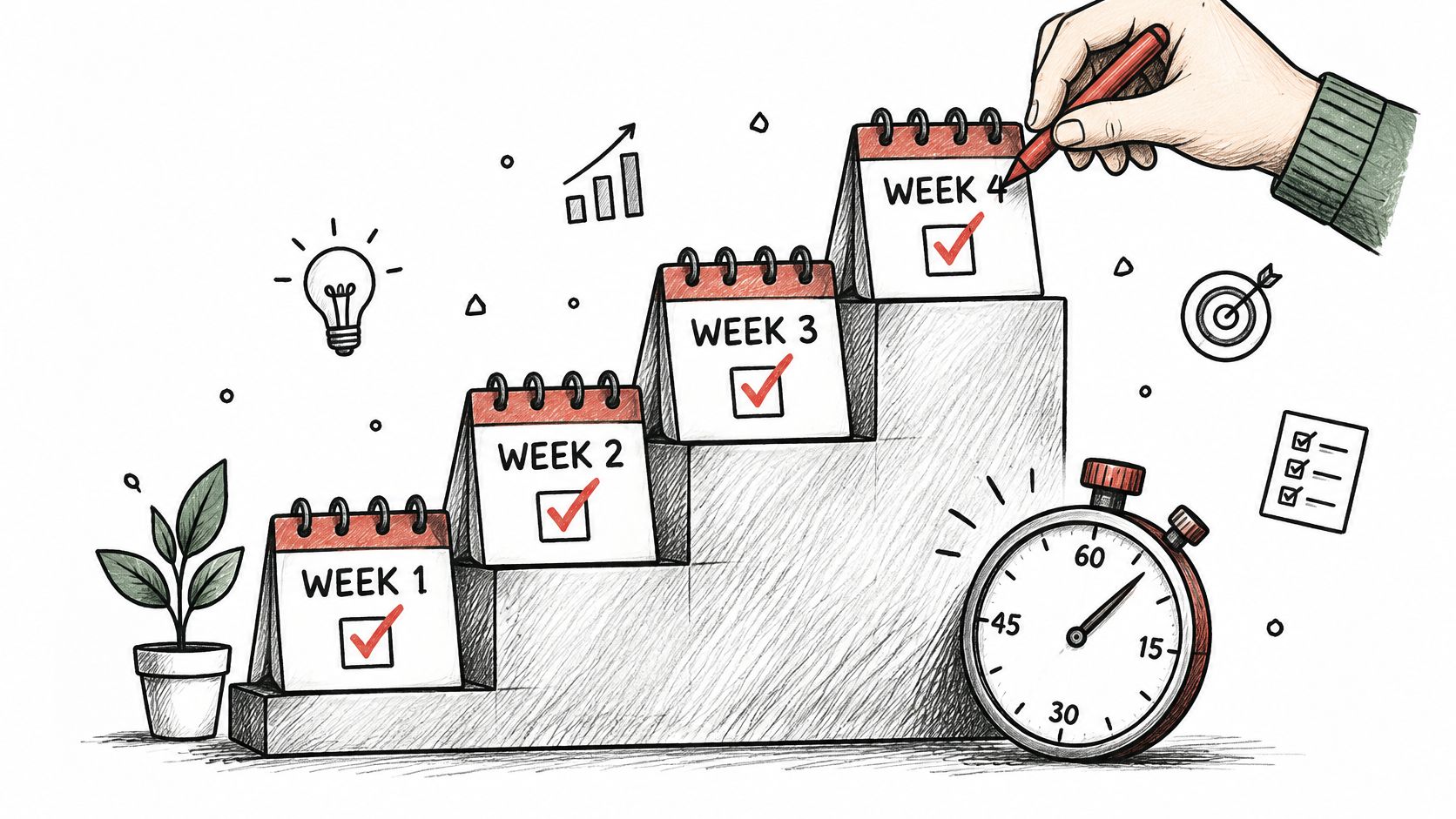
Use a bounded launch schedule to prevent an experiment from becoming an open-ended expense. The calendar provides checkpoints, not a promise that every store will have a reliable answer by the final review.
Treat each checkpoint as a decision to proceed, repair, or stop.
-
Week one, verify the buying path. Connect your chosen platform and inspect representative feed entries against the live store. Complete a test purchase, confirm that the correct purchase details arrive, and inspect the checkout on mobile. Write down your allowable acquisition cost, spending ceiling, and the business outcome you’re testing before anything launches.
-
Week two, approve a small launch. Prepare prospecting creative and, if you have an eligible audience, a catalog retargeting campaign. Keep the new ads paused while you inspect destinations, prices, geography, currency, and budget settings. Ask someone else to review the setup if possible, then deliberately authorize the launch.
-
Week three, assess purchases and contribution. Review completed orders rather than judging only traffic or add-to-cart events. Pause spending that reaches your pre-agreed loss limit without sufficient evidence of purchases, after allowing for purchase-reporting delays. If the result is unclear, diagnose the uncertainty instead of inventing a universal cutoff.
-
Week four, decide whether to extend or expand. Move budget only toward campaigns that meet your financial criteria. Run a suitable holdout or geographic comparison if your volume supports it, understanding that a regional comparison without random assignment is weaker evidence. Add another platform only if the current setup is manageable and the new channel answers a specific customer need.
Keep a record you can act on
Log the date, reason, previous setting, new setting, and observed result for every adjustment. Also note promotions, stockouts, and tracking failures so you don’t credit an advertising change for something the store did.
AdCrunch supports this controlled workflow: new campaigns, ad sets, creatives, and ads the agent builds on Meta start paused and spend only after a separate request to resume them. Every agent change appears on the Activity page with the ad account, what changed, who requested it, and whether it worked; setup takes a few minutes to connect accounts, add the connector, and ask the first question.
Scale when the evidence supports additional profit, not when the launch calendar runs out.
An inconclusive test isn’t permission to increase spending. Keep the budget bounded, improve the experiment, and expand only when the result holds up.
AdCrunch lets you inspect connected advertising accounts and carry out controlled Meta campaign changes with an activity record. Visit AdCrunch to prepare a paused launch, review your setup, and authorize spending only when your checks are complete.